
Views: 222 Author: Amanda Publish Time: 2026-01-07 Origin: Site


Content Menu
● What Are G Codes in CNC Machining?
● G Codes vs M Codes in CNC Machining
● How G Codes Work in a CNC Machining Program
● Most Common G Codes Used in CNC Machining
>> G01 – Linear Interpolation (Cutting Move)
>> G02 and G03 – Circular Interpolation
>> G17, G18, G19 – Plane Selection
>> G90 and G91 – Absolute and Incremental Programming
>> Canned Cycle G Codes in CNC Machining
● Advanced G Codes for CNC Machining
>> G41 and G42 – Cutter Radius Compensation
>> G43 – Tool Length Compensation
● Coordinate Systems and G Codes in CNC Machining
>> G54–G59 – Work Coordinate Systems
● Safety, Verification, and Simulation of G Codes
>> Best Practices for Safe G Code Use in CNC Machining
● G Codes in CNC Milling vs CNC Turning
>> Threading and Turning-Specific G Codes
● Learning G Codes for CNC Machining Operators and Engineers
>> Tips for Learning and Using G Codes in CNC Machining
● How Professional CNC Machining Suppliers Use G Codes
● FAQ
>> 1. What is a G code in CNC Machining?
>> 2. How is G code different from M code in CNC Machining?
>> 3. Which G codes are most important for beginners in CNC Machining?
>> 4. Do different CNC Machining brands use the same G codes?
>> 5. Can CAM software completely replace manual G code programming in CNC Machining?
G codes are the core programming commands that tell a CNC Machining machine how to move the tool through space to cut a part with precision. In every CNC Machining shop, understanding G codes is essential for creating accurate toolpaths, avoiding crashes, and delivering repeatable quality for prototypes and production runs.[1][2]
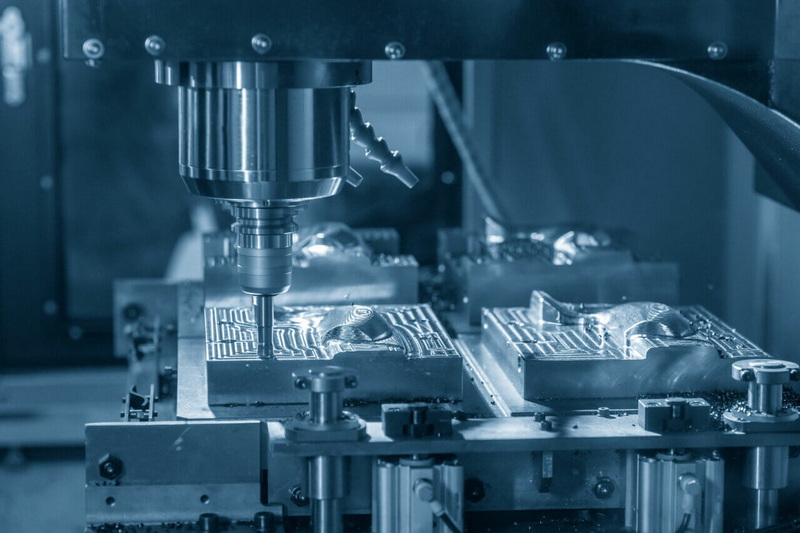
G codes are a standardized set of instructions that control the geometry of motion in CNC Machining, such as rapid positioning, linear cutting, and circular interpolation. Each line of CNC Machining code contains a G word (like G00 or G01) plus coordinates and other parameters, which together define how the cutting tool moves relative to the workpiece.[3][1]
A complete CNC Machining program uses many G codes in sequence to move the tool through all required positions and cutting paths. When these G codes are combined with feed rates, spindle speeds, and tool information, they transform a CAD design into a physical part on a CNC Machining center or CNC lathe.[4][1]
In CNC Machining, G codes focus on motion and part geometry, while M codes handle auxiliary machine functions like spindle on/off, coolant, and tool change. G codes tell the CNC Machining tool where and how to move, but M codes tell it what support actions to take during or between those moves.[5][6]
For example, a CNC Machining block might use G01 for a controlled cutting move and combine it with an M03 to start the spindle or an M08 to turn on coolant. Both G and M codes are needed to run safe, efficient CNC Machining cycles, but G codes are usually more complex and appear more frequently in the program.[7][5]
A CNC Machining program is made up of many blocks, each containing codes like G, X, Y, Z, F, and sometimes M, N, or others. The G code sets the motion mode, the coordinates give the target position, and the feed rate defines how fast the tool should move during the CNC Machining operation.[2][1]
Some G codes are modal, meaning they stay active until another code cancels or replaces them, which simplifies CNC Machining programs but requires careful management by the programmer. When writing or editing CNC Machining code, operators must understand which G codes are modal to avoid unexpected movements or cutting conditions.[8][4]
In daily CNC Machining work, a relatively small set of G codes covers most operations, especially on milling centers and turning machines. Learning these core commands helps engineers and machinists quickly read, debug, and adjust CNC Machining programs on the shop floor.[9][7]
G00 tells the CNC Machining machine to move the tool as fast as possible to a given coordinate without cutting material. It is used for clearance moves, positioning above the part, and moving between cutting locations in a CNC Machining cycle.[10][11]
Because G00 moves at rapid speed, incorrect coordinates can cause collisions or overtravel in CNC Machining, so programmers typically stay clear of clamps and surfaces when using this code. Good CNC Machining practice is to rapid to a safe point above the part, then switch to a cutting G code like G01 to approach the surface.[1][2]
G01 commands a straight-line move at a specified feed rate, making it the primary cutting move in CNC Machining. A line such as G01 X50.0 Y20.0 F300 tells the CNC Machining tool to move in a straight path to that coordinate while removing material.[2][1]
Linear interpolation is essential for profiling, pocketing, and facing operations in CNC Machining, where smooth, accurate lines are required. By combining multiple G01 moves with different coordinates, CNC Machining programmers can create complex shapes and contours.[12][1]
G02 and G03 are used for circular or helical interpolation, allowing CNC Machining tools to move along arcs and curves. G02 specifies a clockwise arc, while G03 specifies a counterclockwise arc, defined by end coordinates and either a radius or center offsets (I, J, and sometimes K).[3][1]
Circular interpolation lets CNC Machining machines mill pockets, holes, and rounded profiles smoothly without tiny step approximations. These G codes are fundamental when CNC Machining parts with fillets, slots, and curved surfaces that must meet tight tolerance and surface finish requirements.[13][1]
G17, G18, and G19 select the active machining plane for circular moves and certain CNC Machining cycles. G17 activates the XY plane, G18 activates the XZ plane, and G19 activates the YZ plane, determining how arcs and some canned cycles are interpreted in CNC Machining.[2][3]
Most CNC Machining centers do 2D contouring in the XY plane using G17, but switching to G18 or G19 enables special toolpaths or multi-axis strategies. Plane selection must be correct before using G02 or G03, or the CNC Machining control will apply the wrong geometry and possibly generate unexpected motion.[1][3]
G90 sets absolute programming mode, where all coordinates are referenced from a fixed origin, which is widely used in CNC Machining for clarity and repeatability. G91 switches to incremental mode, where each move is defined relative to the current position, useful for repetitive CNC Machining patterns or loops.[10][2]
Choosing between G90 and G91 changes how the CNC Machining controller interprets the same coordinate values, so mixing these modes requires careful planning. Many CNC Machining programs use G90 for main toolpaths and temporarily switch to G91 for certain retracts, peck cycles, or pattern movements.[10][2]
Canned cycles are specialized G codes that simplify common repetitive drilling and hole-making tasks in CNC Machining. Instead of writing many separate lines, a single G code like G81 or G83 can define the entire drilling pattern, including depth, retract plane, and feed rate in CNC Machining.[14][10]
Common canned cycles in CNC Machining include G81 for simple drilling, G82 for drilling with dwell, G83 for peck drilling, and G84 for tapping. These G codes improve programming efficiency and help maintain consistent drilling strategies across multiple CNC Machining programs.[4][10]
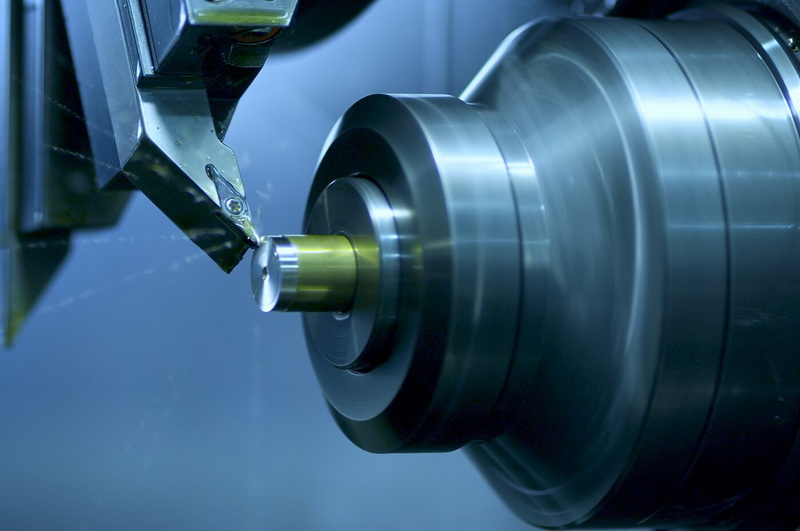
Beyond the basic motion commands, advanced G codes support high-speed machining, coordinate transformations, and multi-axis work in CNC Machining. These functions help experienced programmers optimize cycle times, improve tool life, and tackle complex geometries that simple 2D G code cannot handle.[7][1]
Codes such as G41/G42 for cutter compensation and G43 for tool length compensation allow CNC Machining systems to adjust toolpaths based on real tool dimensions and offsets. This reduces the need to re-post programs from CAM when a tool is changed, improving flexibility and uptime in CNC Machining production.[8][2]
G41 and G42 let the CNC Machining controller offset the toolpath to the left or right of the programmed contour based on tool radius. This ensures that the actual cut contour matches the CAD design even when tool diameter changes or when fine-tuning size during CNC Machining.[8][2]
By adjusting wear values in the tool offset table instead of reprogramming coordinates, CNC Machining operators can bring features into tolerance quickly. Proper use of cutter compensation is critical when machining tight-tolerance cavities, profiles, and contours in CNC Machining.[15][7]
G43 activates tool length compensation so that the CNC Machining control can account for different tool lengths and still position the tool tip correctly relative to the workpiece. This code works together with the tool offset table, which stores measured tool lengths for each tool number in the CNC Machining system.[14][2]
Accurate tool length compensation is vital for multi-tool CNC Machining jobs where drills, end mills, and reamers must all hit precise depth and surface locations. Without proper G43 usage and correct offsets, CNC Machining can produce undercut or overcut features, or even cause collisions with the part or fixtures.[11][7]
Modern CNC Machining controllers support multiple work coordinate systems so that programmers can define several origins on the same machine. G codes such as G54 to G59 select which work offset is active, allowing multiple setups or parts to be run efficiently in CNC Machining.[14][2]
Using separate work offsets simplifies CNC Machining for fixture plates, vises, and multi-part pallets because each part can be programmed around its own coordinate system. This approach also makes it easier to re-run jobs in CNC Machining by recalling saved offsets rather than re-touching all features.[11][7]
G54 through G59 are standard work coordinate system selections in many CNC Machining controls, each storing a different origin position. A programmer can assign G54 to the first vise, G55 to the second, and so on, allowing the same CNC Machining program structure to run across multiple stations.[2][14]
Consistent use of work offsets also supports repeat production in CNC Machining because once offsets are dialed in, future jobs can be set up faster. For OEM customers, this helps CNC Machining suppliers maintain stable quality across multiple batches and projects.[7][11]
Safe CNC Machining depends on verifying G codes before running them at full speed on a real machine. Many shops rely on simulation software to visualize toolpaths, detect collisions, and validate feeds, speeds, and tool changes in their CNC Machining programs.[7][2]
Dry runs, single-block execution, and optional stop functions help CNC Machining operators test new programs on the machine itself. These practices minimize the risk of accidents, spindle damage, or scrap when introducing new G code programs into CNC Machining production.[16][2]
Operators should always verify tool lengths, work offsets, and clearance planes before running a new CNC Machining program. It is also important to start at reduced feed rates, especially near complex contours or tight fixtures, until the G code path is proven safe in the CNC Machining environment.[2][7]
Clear program structure, comments, and consistent naming conventions make it easier for teams to review and maintain CNC Machining code. Good documentation around G code usage, tooling, and workholding improves training, troubleshooting, and long-term reliability in CNC Machining operations.[15][4]
Many G codes are shared between CNC Machining centers and CNC turning centers, but some are specific to the machine configuration. For example, G00, G01, G02, G03, G90, and G91 are common to both, while certain diameter/radius modes and threading cycles are more specific to CNC turning.[10][14]
On a CNC Machining center (mill), G codes are mainly used for 3-axis or 4/5-axis contouring, drilling, and pocketing. On a CNC lathe, G codes control turning, facing, grooving, and threading motions along the spindle axis, but the same CNC Machining programming principles apply.[1][2]
Turning centers often use threading cycles like G76 or other lathe-specific G codes to cut precise threads automatically. These cycles allow CNC Machining lathes to follow complex depth and infeed patterns without manually programming each pass.[8][14]
Diameter mode and radius mode settings affect how X coordinates are interpreted on CNC Machining lathes, so programmers must match the control configuration. Understanding these turning-specific behaviors helps CNC Machining teams avoid size errors and achieve consistent thread quality.[10][2]
New CNC Machining operators often start with a short list of essential G codes and gradually build their knowledge as they gain experience. Hands-on practice, simulator use, and reviewing real production programs all help deepen understanding of how G codes affect CNC Machining behavior.[17][7]
Many training resources, from online tutorials to formal courses, now focus on the basics of G code programming alongside CAM and CNC Machining fundamentals. Combining theory with real parts and actual CNC Machining jobs builds the confidence needed to safely adjust and optimize G code programs.[4][1]
A practical way to learn G codes is to take a simple CNC Machining program, run it slowly, and compare each G code line to the actual tool movement. Keeping a personal reference list of frequently used G codes and their effects helps CNC Machining operators build fluency over time.[4][8]
Working closely with experienced programmers and setup technicians accelerates learning because they can explain the purpose of more advanced G codes. Over time, this knowledge allows operators to contribute to CNC Machining process optimization, not just machine operation.[15][7]
Professional CNC Machining suppliers rely on disciplined programming standards, version control, and simulation to manage G code for complex projects. For overseas OEM customers, these suppliers use consistent CNC Machining post-processors and verification steps to ensure that programs run correctly across multiple machines and batches.[11][7]
A strong CNC Machining partner will integrate G code programming with quality inspection, material traceability, and tooling management to support long-term production. This approach helps brands, wholesalers, and manufacturers obtain stable CNC Machining quality for everything from rapid prototypes to precision batch production.[11][15]
G codes are the fundamental language of CNC Machining, defining every movement the tool makes and every surface the machine creates. By understanding core commands like G00, G01, G02, G03, plane selection, canned cycles, and coordinate modes, engineers and operators can control CNC Machining quality, speed, and reliability.[1][10]
Advanced topics such as cutter compensation, tool length compensation, and work coordinate systems extend what can be achieved with modern CNC Machining. When combined with robust safety practices, simulation, and professional process control, G code knowledge becomes a powerful asset for any CNC Machining operation serving demanding OEM customers.[7][8]
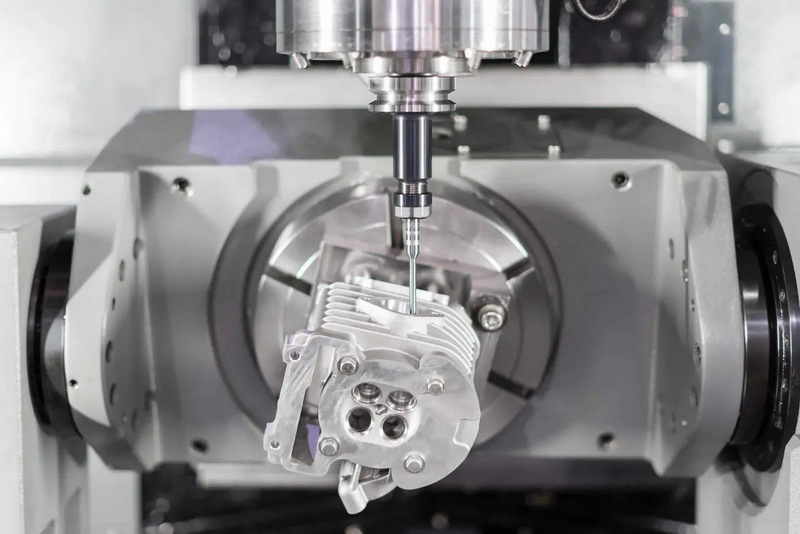
G code in CNC Machining is a programming instruction that controls tool motion, telling the machine where to move, how fast to move, and along what path to cut material.[1]
In CNC Machining, G codes control geometric motion and toolpaths, while M codes handle auxiliary functions such as spindle start/stop, coolant, and tool changes.[5]
Beginners in CNC Machining should focus on G00 for rapid positioning, G01 for linear cutting moves, G02 and G03 for circular interpolation, and G90/G91 for absolute and incremental modes.[7]
Most CNC Machining controls share a common core of G codes, but some details and advanced codes vary by brand and controller, so programmers must adapt to each machine.[6]
CAM software generates most G codes for CNC Machining, but operators still need manual G code knowledge to review, adjust, and troubleshoot programs on real machines.[1]
[1](https://www.autodesk.com/products/fusion-360/blog/cnc-programming-fundamentals-g-code/)
[2](https://www.americanmicroinc.com/resources/difference-g-code-m-code/)
[3](https://www.lincolntech.edu/news/skilled-trades/cnc-machining-and-manufacturing/what-g-code-introduction-cnc-programming)
[4](https://learn.toolingu.com/classes/basics-of-g-code-programming-231/)
[5](https://www.zintilon.com/blog/g-code-vs-m-code-in-cnc-manufacturing/)
[6](https://www.cncmasters.com/g-code-m-code-differences-explained/)
[7](https://www.cnccookbook.com/cnc-programming-g-code/)
[8](https://www.cnccookbook.com/g-code-m-code-command-list-cnc-mills/)
[9](https://tormach.com/articles/9-easy-g-codes-every-machinist-must-learn)
[10](https://www.sherline.com/g-code/)
[11](https://www.rapiddirect.com/blog/g-and-m-codes/)
[12](https://all3dp.com/2/cnc-milling-programming-basic-cnc-g-code-tutorial/)
[13](https://www.unionfab.com/blog/2024/10/g-and-m-codes)
[14](https://content.fanucworld.com/m-code-g-code-list/)
[15](https://www.steckermachine.com/blog/g-code-and-m-code-programming)
[16](https://www.shopsabre.com/understanding-g-code-and-m-code-in-cnc-work/)
[17](https://gcodetutor.com/cnc-machine-training/cnc-g-codes.html)

