
Views: 222 Author: Amanda Publish Time: 2026-01-03 Origin: Site


Content Menu
● Why Technical Drawings Still Matter
● Essential Elements of a CNC Machining Drawing
>> Title block
>> Views
>> Notes and process requirements
● Step-by-Step: From 3D Model to CNC Machining Drawing
>> Step 1: Define the drafting standard and sheet
>> Step 2: Place orthographic and isometric views
>> Step 3: Add section views and detail views
>> Step 4: Add centerlines and construction geometry
>> Step 5: Dimension size and location correctly
>> Step 6: Specify threads, holes, and fits
>> Step 7: Apply tolerances and GD&T efficiently
>> Step 8: Define surface finish and edge conditions
>> Step 9: Complete the title block and general notes
>> Step 10: Check for consistency and export
● Design-for-Manufacturability Tips for CNC Machining
● Communicating Effectively with CNC Machining Suppliers
● Common Mistakes to Avoid in CNC Machining Drawings
● FAQ About Technical Drawings for CNC Machining
>> 1. Do I always need a 2D drawing for CNC Machining?
>> 2. Which file formats are best for CNC Machining suppliers?
>> 3. How tight should tolerances be for CNC Machining?
>> 4. When should I use GD&T on my drawing for CNC Machining?
>> 5. What information should I include in notes for CNC Machining?
Preparing a clear, accurate technical drawing is one of the most important steps to get reliable, cost-effective CNC machining parts from any supplier worldwide. A well-structured drawing turns your design intent into unambiguous machining instructions and reduces lead time, cost, and risk of scrap. Technical drawings remain a core communication tool for CNC machining projects because they formalize how your design must be machined, inspected, and accepted.
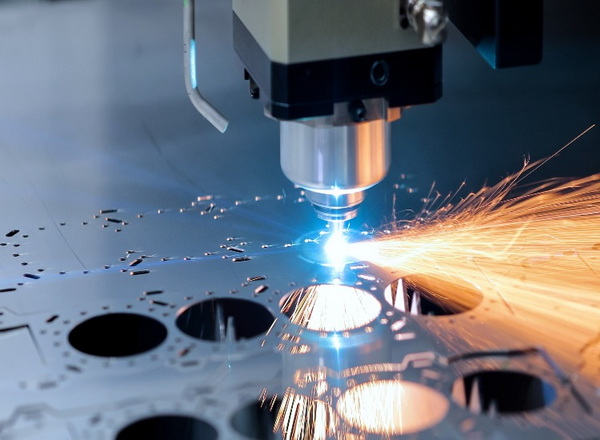
Even in modern digital workflows, 3D CAD defines geometry, but the drawing defines how that geometry must be produced and verified in CNC machining. Drawings capture tolerances, surface finishes, threads, notes, and inspection requirements that are not obvious from the model alone. For international CNC machining supply chains, standardized drawings reduce clarification emails, RFQ delays, and misinterpretations between engineers, buyers, and machinists. Quality teams also use the drawing as the reference for inspection reports and acceptance criteria after CNC machining is completed.
In many CNC machining projects, it is tempting to believe that a high-quality 3D model is enough for production. However, the 3D model usually fails to capture all functional details needed to control manufacturing and inspection. A technical drawing translates design intent into clear instructions that can be understood by programmers, operators, inspectors, and quality engineers on the shop floor.
Drawings also provide a contractual baseline between customer and supplier for CNC machining work. When disputes arise about fit, function, or size, the signed drawing is the document both parties reference. This makes a mature drawing process essential for companies that rely on CNC machining for OEM production, especially when parts move from prototype to mass production. For a full-service factory like Shangchen, receiving a complete drawing together with the 3D model means the team can move directly into quoting, process planning, and CNC machining without endless questions.
A professional CNC machining drawing follows a consistent structure so machinists, programmers, and inspectors can read it at a glance. Most engineering standards expect several key elements as a minimum, and omitting any of them can lead to confusion or rework in CNC machining projects.
The title block is the information hub of the drawing and should be completed carefully.
- Include part name, part number, revision level, material, and any specified surface treatment or coating relevant to CNC machining.
- Add scale, projection method (first-angle or third-angle), drawing standard (such as ISO or ASME), and units so every CNC machining partner interprets values consistently.
- Include company name, designer, checker, and approval signatures to clarify accountability over the life of the CNC machining program.
The arrangement of views determines how easily others can interpret the geometry of the CNC machined part.
- Place front, top, and side orthographic views in a logical layout so each feature appears clearly in at least one view used for CNC machining dimensions.
- Add an isometric view to help non-technical stakeholders visualize the CNC machined part quickly, which is especially helpful during RFQ stages.
- Use section and detail views for internal pockets, grooves, undercuts, and fine features that cannot be dimensioned cleanly in simple orthographic views.
Clear, non-redundant dimensions are fundamental to accurate CNC machining.
- Show all critical size and location dimensions, but avoid duplicating the same dimension in multiple places to reduce conflicts.
- Use ordinate dimensions or datums to avoid long dimension chains that amplify tolerance stack-up in CNC machining assemblies.
- Keep dimensions outside the part outline where possible, with extension lines leading into the feature to maintain legibility for CNC machining programmers.
Tolerances define how much variation is allowed and drive both the process capability and the cost of CNC machining.
- Use general tolerances in the title block for non-critical dimensions, and assign tighter individual tolerances only to features that truly need them.
- Apply geometric dimensioning and tolerancing (GD&T) where form, orientation, and position are more important than simple size, which is common in precision CNC machining.
- Establish a clear datum structure that reflects how the part will be fixtured during CNC machining and how it will assemble in the final product.
Notes capture requirements that are difficult to show as discrete dimensions on the drawing.
- Include details on surface roughness, deburring, edge breaks, coatings, labeling, and heat treatment that directly influence CNC machining or post-processing.
- Clearly identify critical-to-function dimensions and inspection requirements so CNC machining suppliers can prioritize process control efforts.
- Avoid vague phrases like “high precision” or “carefully finished” and instead state explicit values or standards that CNC machining teams can follow.
Turning your 3D model into a production-ready CNC machining drawing is easier if you follow a structured workflow. The same general process applies regardless of which CAD system is used.
Before placing any views, set up the drawing environment so every CNC machining partner interprets it in the same way.
- Choose the projection method appropriate to your region and show the symbol clearly on the sheet.
- Set the units (millimeters or inches) and define default dimension precision, such as two or three decimal places, that are realistic for CNC machining.
- Specify a general tolerance standard, such as ISO 2768 or ASME equivalent, that matches the capability of typical CNC machining shops you work with.
The main views form the backbone of the drawing and guide the placement of all other annotations.
- Choose the most informative face as the front view, typically the one that shows the primary CNC machining features such as large pockets or mounting patterns.
- Align top, right, and other views around the front view for a clear visual logic that helps CNC machining programmers and inspectors follow the geometry.
- Add an isometric view, shaded or wireframe, to provide an overview of the part shape that is useful during quoting and design reviews.
Complex internal features must be revealed so they can be dimensioned and manufactured correctly.
- Use full or half sections to show internal bores, channels, sealing grooves, and cavities that are created during CNC machining.
- Create local sections through features that need tight control, such as bearing seats or precision bores, to simplify dimensioning and tolerance specification.
- Employ enlarged detail views for intricate areas with many small dimensions, like dense hole patterns or fine CNC machining details, to improve readability.
Centerlines and auxiliary geometry make symmetry and relationships explicit, which is vital for CNC machining setups and inspection.
- Mark the axes of all holes, slots, and cylindrical bosses with centerlines so drilling, boring, and turning operations in CNC machining are clearly referenced.
- Show symmetry lines and reference circles (for example, bolt circles) to indicate patterns and repeated features used in CNC machining toolpaths.
- Use reference geometry sparingly but strategically to clarify design intent without overloading the drawing with unnecessary lines.

Dimensioning strategy strongly influences how parts are fixtured, measured, and accepted after CNC machining.
- Dimension functional features from datums that correspond to the actual assembly interfaces, rather than from arbitrary edges.
- Avoid dimensioning to hidden features; instead, use section or detail views so each CNC machining dimension refers to a visible edge or surface.
- Separate critical dimensions, such as those affecting fit with mating parts, from non-critical dimensions, which can remain under general tolerances.
Holes and threads are ubiquitous in CNC machining and must be defined with care to avoid errors.
- Use standardized thread callouts (for example, metric or unified) including pitch, tolerance class, and depth when specifying tapped or threaded holes.
- Indicate whether holes are through or blind, and whether they require countersinks, counterbores, or spotfaces to support CNC machining and assembly needs.
- For fits between shafts and bores, use established fit systems (such as H7/g6) to describe the required clearance or interference rather than ad-hoc tolerances.
Efficient tolerance schemes balance manufacturability and functional performance in CNC machining.
- Reserve tight linear tolerances and stringent GD&T callouts for features that truly influence function, sealing, or alignment; relax others to reduce cost.
- Use position tolerance for hole patterns, slots, and pins that must align across multiple CNC machining parts in an assembly.
- Apply flatness, parallelism, and perpendicularity where necessary to ensure reliable mounting surfaces or precise motion control.
Surface quality and edge condition can strongly affect performance, appearance, and safety.
- Specify surface roughness only where critical, such as sealing surfaces, sliding interfaces, or aesthetic faces of CNC machining parts; allow standard shop finishes elsewhere.
- Use a general note for edge breaks, such as “Break all sharp edges 0.2–0.5 mm,” so the CNC machining shop deburrs uniformly without excessive detailing.
- Mention any special finishing processes like anodizing, plating, bead blasting, or polishing, and link them to relevant surfaces in the drawing.
Often, the title block and notes answer many of the questions a CNC machining factory might otherwise send back.
- Confirm that material, hardness, coating, and any special requirements (such as RoHS compliance) are clearly stated for CNC machining planning.
- Add notes about identification marks, serial numbering, or logo engraving that need to be added during or after CNC machining.
- If there are acceptance criteria beyond simple dimensional checks, such as pressure tests or functional checks, mention them succinctly in the notes.
A final review ensures that the CNC machining supplier receives a clean, consistent documentation package.
- Verify that the 3D model, drawing, and any BOM or specification sheets all share the same revision, material, and geometry information.
- Confirm that there are no conflicting dimensions, missing tolerances, or ambiguous notes that could slow down CNC machining or cause scrap.
- Export the drawing as a secure PDF and the 3D geometry as STEP, IGES, or another neutral format suitable for importing into CNC machining CAM software.
Good drawings are closely tied to good design decisions. Design-for-manufacturability (DFM) practices help CNC machining suppliers produce parts faster and more economically without compromising function.
- Use generous internal radii rather than sharp corners in pockets; this allows larger end mills, shorter cycle times, and more stable CNC machining.
- Avoid extremely thin walls, very small holes, and deep narrow slots that require special tools or multiple setups, which raise CNC machining costs.
- Limit unnecessary cosmetic complexities such as intricate 3D text or very fine decorative grooves unless they deliver real value to the end-user.
- Design features to minimize the number of setups, enabling CNC machining to complete as many operations as possible in a single clamping.
- Group tolerances logically so that features produced in the same CNC machining setup share consistent references and inspection strategies.
By considering these points as you design and prepare drawings, you give partners like Shangchen more flexibility to select optimal CNC machining strategies and maintain stable quality in both prototyping and mass production.
Beyond the content of the drawing itself, the way information is communicated can dramatically influence project success.
- When sending RFQs, include the 3D model, the latest revision of the CNC machining drawing, and any special requirements in a concise cover message.
- Highlight critical dimensions, tight tolerances, and important surfaces in the drawing or as a short list, so the CNC machining supplier can focus on what matters most.
- Share expected annual volumes and ramp-up plans to help the CNC machining factory decide whether to invest in dedicated fixtures, automation, or specialized tooling.
Clear communication around the drawing allows the CNC machining partner to suggest cost-saving options, such as small design modifications or alternative materials, without compromising function. This collaborative approach is particularly effective when working with an OEM-focused factory that offers CNC machining, turning, sheet metal fabrication, 3D printing, and mold manufacturing under one roof.
Even experienced engineers sometimes introduce errors in drawings that cause delays or scrap. Being aware of typical mistakes can help you avoid them.
- Over-constraining the part with extremely tight tolerances on non-critical features, which can make CNC machining unnecessarily expensive and difficult.
- Leaving out thread depth, fit requirements, or hole specifications and assuming the CNC machining supplier will “know what you mean.”
- Mixing units or tolerance styles on one drawing, which invites misunderstandings during CNC machining, inspection, or assembly.
- Adding too many redundant dimensions, causing contradictions when small changes are made; this leads to confusion on the shop floor.
- Failing to update the drawing revision after making design changes, which can result in the wrong version being used for CNC machining.
By consciously checking for these issues before releasing drawings, you significantly reduce risk and make it easier for CNC machining factories to deliver consistent quality.
Preparing a professional technical drawing for CNC machining is not a bureaucratic task but a strategic step that shapes quality, cost, and delivery performance for your entire project. By combining clear views, logical dimensioning, appropriate tolerances, and focused notes, you provide a complete definition of your part that can be understood by CNC machining programmers, operators, and inspectors alike. When those best practices are consistently applied, a full-service factory like Shangchen can leverage its capabilities in CNC machining, turning, sheet metal fabrication, 3D printing, and mold making to deliver OEM parts that match your design intent from early prototypes through high-volume production.
A strong drawing culture also makes future changes easier to manage. Revisions can be tracked, quality feedback can be connected to specific features, and continuous improvement in CNC machining processes becomes much more systematic. For international brands, wholesalers, and manufacturers, mastering the art of preparing technical drawings for CNC machining is therefore a powerful way to stabilize supply chains, reduce risk, and build long-term partnerships with capable factories.
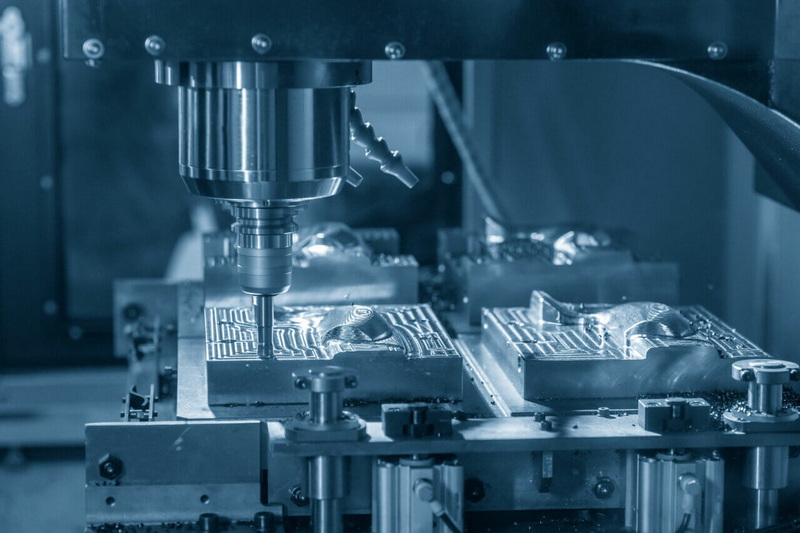
A 2D drawing is not always mandatory for very simple parts, but it is strongly recommended for most CNC machining projects. The drawing captures tolerances, surface finishes, threads, and acceptance criteria that a 3D model alone rarely communicates clearly. Without a drawing, misunderstandings about critical details become more likely, especially when working with overseas CNC machining suppliers or moving from prototype to series production.
For geometry, neutral 3D formats such as STEP or IGES are widely accepted and integrate well with most CNC machining CAM systems. Native CAD formats can be useful when both customer and supplier use the same software, but they should be supported by a stable neutral format for long-term use. For the drawing, a secure PDF is typically preferred so that CNC machining partners work from a fixed, uneditable reference during quoting, machining, and inspection.
Tolerances should be as loose as possible while still ensuring proper function, safety, and assembly, because tighter tolerances generally increase CNC machining cost and scrap risk. Start with general tolerances suitable for the chosen process and material, then assign specific tighter limits only to truly critical features such as fits, sealing surfaces, and key alignment points. Collaborating with your CNC machining supplier to understand their typical process capabilities helps avoid over-specification.
GD&T is particularly valuable when the relative position, orientation, or form of features is more important than their exact size alone. Use GD&T for hole patterns, slots, and mating faces that must assemble accurately with other CNC machining parts, or where dynamic performance and reliability are sensitive to misalignment. Applying GD&T selectively keeps the drawing readable while giving CNC machining teams precise, unambiguous criteria for production and inspection.
Notes should cover requirements that are difficult to express as dimensions, while remaining concise and specific. Typical items include deburring and edge break instructions, coating or plating requirements, marking or engraving details, special cleaning or packaging needs, and any functional tests beyond standard dimensional checks. Keeping the notes clear and consistent with the 3D model and other documents ensures that CNC machining suppliers can implement them reliably without guessing.

