


Content Menu
● How CNC Machining Works (Big Picture)
● Core Skills for Learning CNC Machining
● Choosing CAD and CAM for CNC Machining
● Understanding G‑Code and M‑Code
● CNC Machining Materials and Cutting Tools
● Workholding and Setup Fundamentals
● Learning Path: From Beginner to Confident Operator
● Using Simulators to Accelerate Learning
● Hands‑On Training and Certifications
● Safety Practices in CNC Machining
● Advanced CNC Machining Topics
● Learning CNC Machining for Prototyping and Production
● Joining the CNC Machining Community
● FAQ
>> 1. How long does it take to learn CNC machining?
>> 2. Do I need engineering experience to start with CNC machining?
>> 3. Which is more important: CAD/CAM or machine operation?
>> 4. Can CNC machining be learned entirely online?
>> 5. What kind of projects are best for beginners?
CNC machining is one of the core technologies behind modern manufacturing, enabling the production of complex, tight‑tolerance parts with consistency and speed. For anyone interested in product development, rapid prototyping, or precision mass production, learning CNC machining is a powerful way to turn concepts into real components. With a structured approach, clear learning roadmap, and steady practice, beginners can progress from zero experience to confidently planning, programming, and running CNC machining operations.[2][3][4][6]
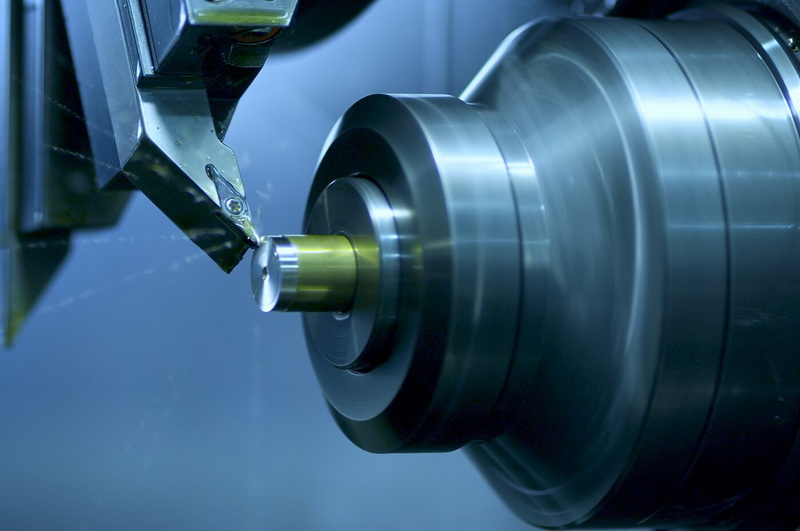
CNC machining, or Computer Numerical Control machining, is a subtractive manufacturing process where cutting tools remove material from a solid block (workpiece) according to instructions generated by a computer program. These instructions—typically written as G‑code and M‑code—control axes movement, spindle rotation, tool changes, coolant, and other functions, allowing highly repeatable and precise production.[3][6][2]
In a typical CNC machining workflow, a 3D model is created in CAD software, converted into a machining strategy in CAM software, and finally executed on a machine tool such as a mill or lathe. This workflow supports both one‑off prototypes and high‑volume production, which is why CNC machining is widely used in aerospace, automotive, robotics, consumer electronics, medical devices, and more.[5][8][2][3]
Different CNC machines specialize in different geometries and tasks, and understanding the main categories helps plan a learning path. Each machine configuration has its own strengths, limitations, and common applications.[6][3][5]
- CNC milling machines: Multi‑axis mills remove material with rotating cutting tools, ideal for prismatic and 3D surfaces in metals and plastics. Vertical machining centers (VMCs) are common for general parts, while horizontal machining centers (HMCs) excel in production environments.[2][3][5]
- CNC lathes and turning centers: These machines rotate the workpiece while fixed cutting tools remove material, making them ideal for shafts, bushings, and other rotationally symmetric parts.[3][2]
- CNC routers: Often used for wood, composites, and soft metals, routers provide large work envelopes at relatively low cost, popular in furniture, signage, and light industrial work.[6][3]
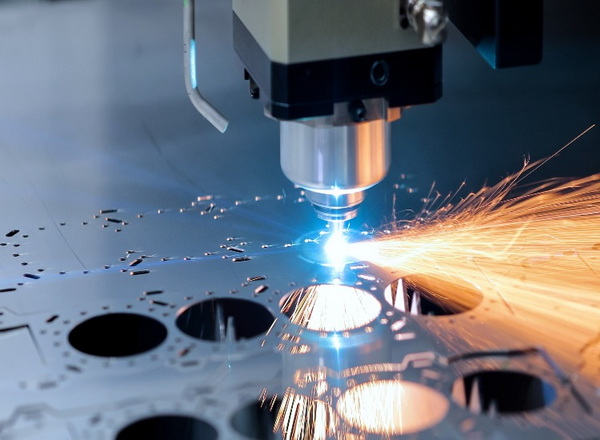
- CNC EDM and other specialty machines: Electrical discharge machining, laser cutting, and plasma cutting systems are also controlled by CNC, providing non‑traditional cutting methods for hard or intricate parts.[3][6]
The CNC machining process follows a structured sequence from digital design to finished part. Learning CNC machining effectively means understanding each link in this chain and how they interact.[4][8][2]
1. Design in CAD: The part is modeled in CAD software with defined dimensions, tolerances, and material. Good design for manufacturability (DFM) makes CNC machining easier, faster, and cheaper.[9][5][2][3]
2. Plan in CAM: The CAD model is imported into CAM software to choose tools, define setups, and generate toolpaths and cutting parameters.[8][2]
3. Generate code: CAM outputs G‑code and M‑code, which are human‑readable but usually post‑processed to match a specific CNC controller.[2][6]
4. Set up the machine: The operator loads tools, sets tool length and diameter offsets, mounts the workpiece, and establishes work coordinate zeros.[4][6]
5. Run, inspect, and adjust: The program is run (often first in single‑block or dry‑run mode), parts are measured, and parameters or toolpaths are refined if needed.[4][6]
Becoming competent in CNC machining requires a blend of digital and shop‑floor skills. A focused learning plan should cover both sides rather than only software or only machine operation.[8][6][4]
Key skill areas include:
- Technical drawing and tolerances: Reading and creating 2D drawings and 3D models, understanding GD&T, fits, and surface finishes.[9][3]
- CAD and CAM proficiency: Being comfortable modeling parts and creating toolpaths in commonly used software.[5][2]
- CNC programming: Understanding the structure of G‑code and basic manual edits, even when most code comes from CAM.[6][2]
- Machine setup and operation: Clamping, workholding, tool setup, and safe operation of milling and turning centers.[4][6]
- Metrology and quality control: Using calipers, micrometers, height gauges, and CMMs to verify dimensions and tolerances.[5][4]
Modern CNC machining almost always starts in CAD and CAM, so software skills are foundational. Beginners should select tools that are powerful but accessible, with strong learning resources.[8][2][4]
Popular CAD/CAM pathways include:
- Integrated platforms: All‑in‑one solutions where CAD, CAM, and sometimes simulation live together in one environment.[2][5]
- Dedicated CAD plus external CAM: Using a CAD tool like SolidWorks or similar paired with a separate CAM package tailored to your machines.[5][8]
When choosing CAD/CAM for CNC machining, consider:
- Machine compatibility and post‑processors.[2][4]
- Availability of tutorials and an active user community.[8][4]
- Support for multi‑axis CNC machining, turning, and probing if needed.[3][2]
Even in modern workflows where CAM software generates most CNC machining programs, understanding G‑code is a major advantage. It helps with debugging, on‑the‑fly adjustments, and communicating with experienced machinists.[6][4][2]
Typical topics to learn include:
- Coordinate systems and motion commands: Linear and circular interpolation codes, work offsets, and incremental vs absolute programming.[6][2]
- Tool and spindle control: Tool change commands, spindle speed and direction, and feed rate specification.[2][6]
- Miscellaneous functions: Coolant control, program stops, and subprogram calls.[6][2]
Beginners can start by reading short example programs and then editing feeds, speeds, or simple moves to see how changes affect CNC machining behavior.[4][6]
Choosing the right material and cutting tools is critical to both learning and production‑level CNC machining. Soft and forgiving materials reduce risk for beginners, while harder alloys demand careful parameter control.[9][3][5]
Common workpiece materials:
- Aluminum alloys: Very popular in CNC machining for prototypes and structural parts due to excellent machinability and strength‑to‑weight ratio.[3][5]
- Steels and stainless steels: Widely used for mechanical components and tooling, requiring optimized cutting parameters and tool selection.[9][3]
- Plastics: Frequently used for enclosures, fixtures, and light‑duty components in CNC machining.[5][3]
Cutting tool basics for CNC machining:
- End mills: Primary tools for milling operations; various geometries for roughing, finishing, and specialty features.[5][2]
- Drills and taps: Essential for creating and threading holes.[2][5]
- Turning inserts and holders: Used in CNC turning centers for external and internal profiles and threading.[3][6]
Good workholding underpins accuracy, surface finish, and tool life in CNC machining. Learning how to clamp and locate parts properly is as important as learning to program.[4][6]
Typical workholding methods:
- Vises and fixtures: Common on milling machines; soft jaws can be machined to match part geometry for better support.[4][6]
- Chucks and collets: Widely used on lathes to grip cylindrical stock.[3][6]
- Modular fixturing systems: Allow quick changeovers in CNC machining cells and production environments.[9][3]
Setup skills include tramming vises, indicating workpieces, setting work offsets, and verifying that all clamps clear tools during program execution.[6][4]
A structured roadmap helps learners progress step by step instead of getting overwhelmed by the full scope of CNC machining. A practical path can be divided into stages that build on each other.[8][4]
Suggested staged approach:
1. Concept and vocabulary: Learn what CNC machining is, basic machine types, and common terminology.[8][3]
2. Software foundations: Practice simple CAD models and 2D CAM operations, such as basic profiles and pocketing.[5][2]
3. Virtual practice: Use simulators to run toolpaths, detect collisions, and visualize chip removal before touching a real machine.[8][4]
4. Supervised machine time: Start with simple parts under guidance, focusing on safe setup, basic G‑code, and measurement.[4][6]
5. Independent projects: Design and machine your own small components, exploring more advanced CNC machining strategies like 3D surfacing or multi‑setup parts.[5][4]
CNC simulation tools allow learners to test programs without risking crashes or scrap, which is especially important when exploring unfamiliar CNC machining strategies. They provide visual feedback on toolpaths, cycle times, and potential collisions.[8][4]
Benefits of simulation for CNC machining students include:
- Safer experimentation with feeds, speeds, and approach strategies.[4][8]
- Faster learning cycles because changes can be tested quickly.[5][4]
- Clear visual connection between G‑code, CAM toolpaths, and resulting tool motion.[8][4]
Real‑world practice remains essential because CNC machining involves sounds, vibrations, chip behavior, and machine responses that cannot be fully captured in software alone. Workshops, vocational programs, and factory internships give direct exposure to day‑to‑day machining tasks.[6][8]
Industry certifications can validate skills and help in job searches:
- General machining and CNC machining credentials from recognized organizations.[9][8]
- Machine‑tool‑maker certifications from specific manufacturers (for example, systems covering operation and basic programming).[6][8]
Because CNC machining involves sharp tools, high spindle speeds, and heavy moving axes, safety must be a constant priority. Good habits built early will stay with you as you move to more powerful equipment and complex CNC machining tasks.[4][6][8]
Key practices include:
- Always using appropriate personal protective equipment and respecting machine guards and interlocks.[6][8]
- Following proper startup, warm‑up, and shutdown procedures to reduce risk and improve part consistency.[8][6]
- Keeping work areas clean, chips managed, and tools correctly stored to prevent accidents and damage.[4][6]
Regular maintenance keeps CNC machining equipment accurate, safe, and productive over the long term. Even learners should understand daily and weekly maintenance tasks to protect both machines and workpieces.[6][8]
Typical maintenance routines:
- Cleaning chips and coolant residue, lubricating slides and ball screws, and checking critical fasteners.[8][6]
- Inspecting toolholders and spindle interfaces to avoid runout and premature tool wear.[9][3]
- Periodic checking of backlash and alignment to maintain CNC machining accuracy and repeatability.[3][9]
Once the basics are solid, more advanced topics help unlock the full power of CNC machining for complex engineering problems. These areas are especially important for high‑value components and demanding industries.[9][3][8]
Areas to explore:
- Multi‑axis CNC machining: Using 4‑axis or 5‑axis machines to reduce setups, improve surface finish, and create intricate geometries.[3][9]
- High‑speed machining: Combining high spindle speeds, light cuts, and optimized toolpaths to reduce cycle times while protecting tools and spindles.[2][3]
- Process optimization: Refining feeds, speeds, stepovers, and tool strategies to balance cost, surface finish, and tool life in CNC machining.[2][4]
CNC machining serves different roles depending on whether the goal is rapid prototyping, low‑volume production, or full‑scale manufacturing. Understanding these distinctions helps learners choose appropriate workflows and parameters.[9][3][8]
- For rapid prototyping, CNC machining emphasizes quick setup, flexible workholding, and fast iteration on design changes.[3][9]
- For precision batch production, focus shifts to repeatable fixtures, standardized tool libraries, and robust, documented CNC machining processes.[9][3]
Partnering with a professional CNC machining shop that offers rapid prototyping, mass production, and multi‑process capabilities can help designers and engineers learn while seeing how real industrial workflows are organized.[3][9]
Engaging with the broader community dramatically accelerates learning and keeps skills current. Forums, technical blogs, and professional networks are full of practical CNC machining tips, troubleshooting help, and real case studies.[4][6][8]
Effective ways to participate:
- Contributing to online discussions, sharing challenges, and asking for feedback on toolpaths or fixture concepts.[8][4]
- Attending industry conferences, trade shows, or local meetups to see modern CNC machining equipment and talk with experienced operators.[3][8]
- Following reputable training platforms, equipment manufacturers, and machining experts who share process insights and new techniques.[4][8]
Learning CNC machining is a progressive journey that combines digital design, programming, and practical shop‑floor skills into one powerful capability. By mastering CAD/CAM, understanding G‑code, practicing safe setup and operation, and steadily tackling more complex projects, beginners can grow into confident CNC machining professionals who support everything from rapid prototyping to precision batch production. With consistent study, hands‑on experience, and engagement with the global machining community, CNC machining becomes not only a valuable technical skill, but also a gateway to innovation across many industries.[2][5][3][8][4]

For motivated beginners, it usually takes a few months to become comfortable with basic CAD, simple G‑code, and supervised operation of entry‑level CNC machining equipment. Reaching independent, production‑ready skill levels often takes one to two years of steady practice, especially when working with multiple materials and more complex multi‑axis CNC machining tasks.[6][8][4]
Formal engineering background is helpful but not required to begin learning CNC machining. Many successful machinists come from technical schools or hands‑on apprenticeships, building theory along the way while focusing on safe, practical skills in CNC machining.[6][8][4]
Both are essential and complementary in CNC machining. Strong CAD/CAM skills help create efficient programs, while solid machine‑operation skills ensure that toolpaths are executed safely and accurately on real CNC machining equipment.[2][4][6]
Online resources provide excellent coverage of theory, CAD/CAM workflows, and G‑code, and simulators allow safe practice of programming concepts. However, full competence in CNC machining also requires in‑person experience with real machines to understand workholding, tool wear, chip control, and practical troubleshooting.[8][4][6]
Simple 2.5D parts with pockets, slots, and drilled holes are ideal starting projects in CNC machining. These parts teach core concepts—coordinate systems, tool changes, basic inspection—without the complexity of multi‑axis surfaces or very tight tolerances, allowing beginners to build confidence step by step in CNC machining.[5][4][6]
[1](https://academy.titansofcnc.com/files/Fundamentals_of_CNC_Machining.pdf)
[2](https://www.autodesk.com/products/fusion-360/blog/cnc-machining-101-a-comprehensive-guide/)
[3](https://www.fictiv.com/articles/the-ultimate-guide-to-cnc-machining)
[4](https://www.cnccookbook.com/learn-cnc-basics-tutorial/)
[5](https://machiningconceptserie.com/a-beginners-guide-to-cnc-milling-parts/)
[6](https://www.americanrotary.com/blog/cnc-machining-for-beginners/)
[7](https://www.youtube.com/watch?v=cj0-wSGGe6g)
[8](https://learn.toolingu.com/blog-start/2023/june/cnc-machining-training-guide/)
[9](https://gab.wallawalla.edu/~ralph.stirling/classes/engr480/examples/nvx/NVX/Helpful%20Docs/CNC_Machining_The_Complete_Engineering_Guide.pdf)
[10](https://www.reddit.com/r/FSAE/comments/96wszi/an_engineers_guide_to_cnc_machining/)

