
Views: 222 Author: Amanda Publish Time: 2025-12-10 Origin: Site


Content Menu
● Why Good CNC Machining Design Matters
● Start With the Right CNC Machining Process
● Use Standard Tools and Sizes
● Internal Corners and Fillets
● Wall Thickness for CNC Machining
● Holes, Depth, and Positioning
● Material Choice for CNC Machining
● Avoid Unnecessary Complexity
● Planning for Post‑Processing
● Feature Orientation and Access
● Risk Reduction in Prototyping and Production
● Cost Drivers in CNC Machining
● DFM Collaboration With Your CNC Machining Supplier
● FAQ
>> 1. What are the key rules for designing parts for CNC Machining?
>> 2. How thick should walls be in CNC Machining parts?
>> 3. How deep can holes and pockets be in CNC Machining?
>> 4. Which tolerances are realistic for CNC Machining?
>> 5. Why should designers consult CNC Machining experts during development?
Designing parts for CNC Machining is about balancing function, manufacturability, cost, and lead time. When engineers apply clear design-for-manufacturing (DFM) rules, CNC Machining becomes faster, more stable, and more cost-effective for OEM production.[1]
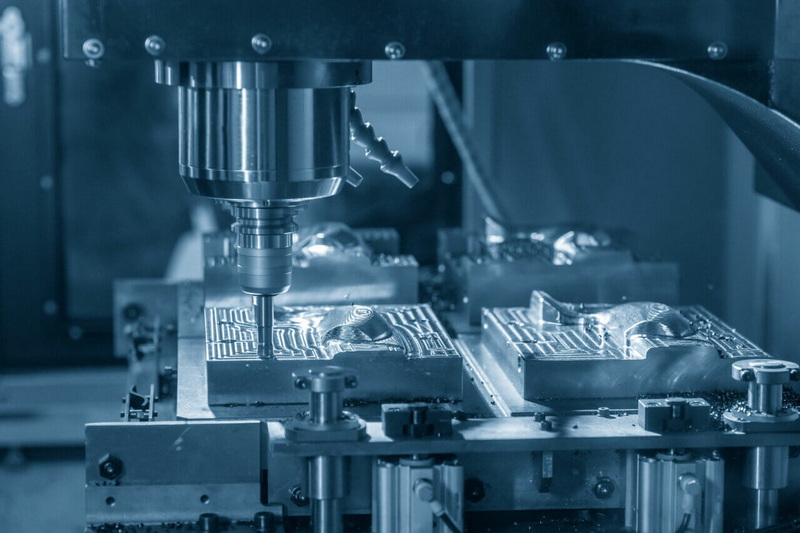
Well-designed parts for CNC Machining reduce programming time, tool changes, and setups, which directly lowers the unit price for prototypes and batch orders. Good design also improves dimensional accuracy and surface finish, which is critical when your CNC Machining parts must assemble with other components or meet strict certification requirements.[2]
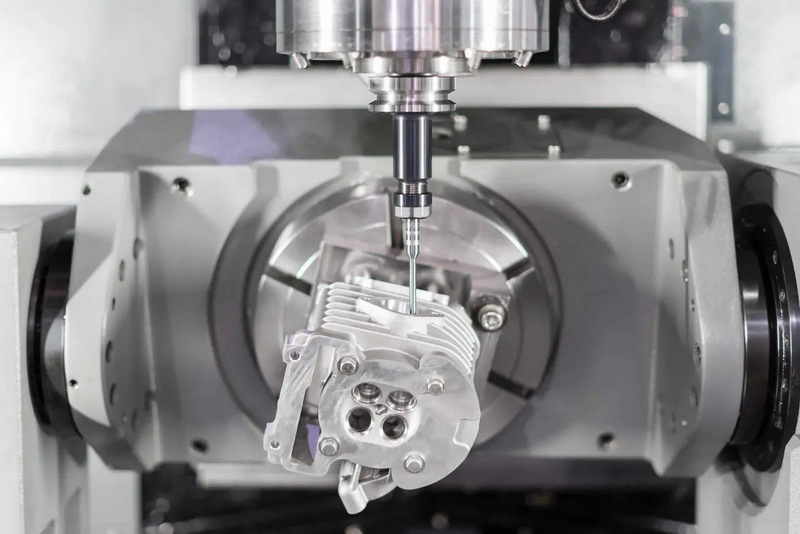
Before modeling, decide whether the part is best suited for CNC milling, CNC turning, or a combination of both CNC Machining processes. Simple prismatic parts with flat faces are ideal for 3‑axis CNC Machining, while more complex geometries may require 4‑axis or 5‑axis setups to minimize refixturing.[1]
Each time a CNC Machining part is unclamped and reclamped, positional error can increase and machining time grows. Try to organize critical features so they can be manufactured in as few CNC Machining setups as possible, ideally within a single orientation when tolerances are tight.[3]
Typical design ideas include:
- Aligning important holes, pockets, and bosses on the same face when using 3‑axis CNC Machining.[3]
- Avoiding unnecessary features on hard‑to‑reach faces that would require special fixtures or multiple CNC Machining operations.[4]
CNC Machining is most efficient when using standard tool diameters, drill sizes, and thread specifications. Non‑standard dimensions often need custom tools or interpolation toolpaths, increasing CNC Machining time and cost.[1]
Practical tips:
- Choose hole diameters that match standard metric or imperial drill bits to simplify CNC Machining and improve accuracy.[1]
- Use standard thread sizes wherever possible, keeping threaded depth modest rather than excessively deep in CNC Machining designs.[5]
Cutting tools used in CNC Machining are round, so perfectly sharp internal corners are not realistic without extra operations. If the CAD model demands sharp 90‑degree internal corners, machining time increases and tool life drops.[1]
Better practices include:
- Add internal corner radii at least one‑third of the cavity depth so a larger end mill can be used during CNC Machining.[1]
- Slightly oversize the internal fillet radius so the tool path remains smooth and avoids sudden direction changes in CNC Machining.[3]
Deep pockets are common in CNC Machining but difficult to machine efficiently, because tools have limited flute length and tend to deflect when cutting too deep. Excessive depth‑to‑width ratio leads to vibration, poor surface finish, and dimensional errors during CNC Machining.[6]
General guidelines:
- Keep cavity depth to around four to five times the cavity width for stable CNC Machining.[6]
- Where a deeper feature is absolutely necessary, consider redesigning in steps or using through‑holes so the CNC Machining tool can clear chips effectively.[7]
Too‑thin walls are one of the most common causes of chatter, distortion, and scrap in CNC Machining. Thin sections flex when clamped or when cutting forces are applied, making it hard to maintain tolerances and surface quality during CNC Machining.[8]
Common recommendations:
- For metals in CNC Machining, a practical minimum wall thickness is around 0.8 mm, with 0.5 mm as a difficult but sometimes feasible limit.[9]
- For plastics in CNC Machining, minimum wall thickness is typically 1.0–1.5 mm, since these materials are softer and more prone to warping under heat.[8]
Holes are straightforward features for CNC Machining, but design still matters. Using extreme depth‑to‑diameter ratios for holes forces the use of special drills or very slow peck cycles in CNC Machining.[1]
Keep holes CNC Machining‑friendly by:
- Limiting hole depth to around four times the diameter for normal operations, and avoiding designs that push far beyond ten times diameter unless truly necessary.[1]
- Positioning critical hole patterns so they can be machined in a single setup for better concentricity and alignment in CNC Machining.[10]
Threaded holes are routine in CNC Machining, but long, small‑diameter threads are risky because taps can break and threads can deform. Overly tight tolerances and deep threads also drive CNC Machining cycle times up.[5]
Suggestions:
- Choose thread sizes that match standard taps and CNC thread‑milling tools, preferring moderate sizes where possible in CNC Machining designs.[1]
- Limit thread length to roughly 1–1.5 times the diameter in most CNC Machining parts, since deeper engagement rarely improves strength significantly.[5]
Every extra decimal place in a tolerance increases CNC Machining cost and may force slower cuts or higher scrap rates. Many non‑critical faces on CNC Machining parts can accept broader tolerances without affecting function.[2]
Helpful approaches:
- Reserve tight tolerances for surfaces that actually affect performance, sealing, or alignment and relax others on the CNC Machining drawing.[11]
- Design critical dimensions so that both features are cut in the same CNC Machining setup, which makes it easier to hold relative tolerances.[3]
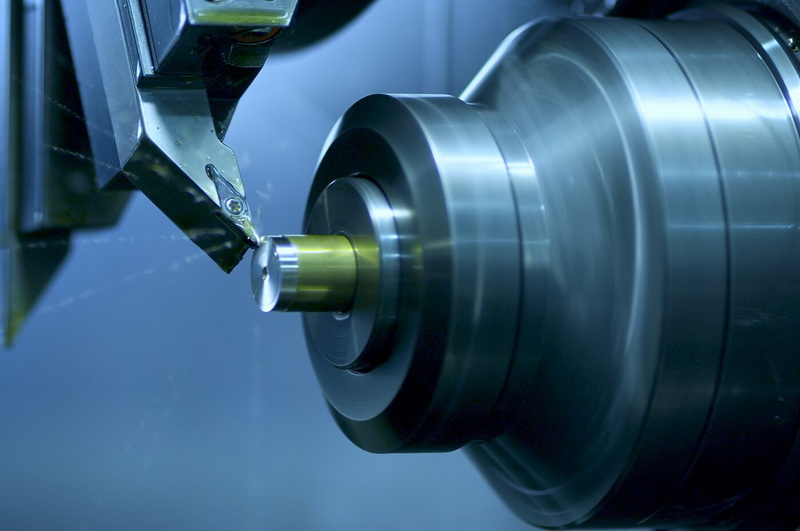
Material selection affects tool wear, allowable wall thickness, feed rates, and total CNC Machining time. Softer materials like aluminum and many plastics cut faster, while very hard alloys require more cautious CNC Machining strategies.[8]
Consider:
- Matching wall thickness and support structure to the stiffness of the chosen material for CNC Machining, especially with stainless steel, titanium, or thin plastic parts.[9]
- Choosing materials that are commonly stocked for CNC Machining so that lead times and raw material costs remain competitive.[7]
Even the best CAD model fails if it cannot be clamped securely for CNC Machining. Poor workholding leads to vibration, misalignment, or even part ejection during CNC Machining.[3]
Good practices:
- Keep enough flat, robust surfaces to allow strong clamping without deforming the CNC Machining part.[12]
- Avoid very fragile tabs or slender unsupported arms that are difficult to support during CNC Machining without complex fixtures.[7]
Excessively organic or contoured shapes can be produced with CNC Machining, but they often require small stepovers and long cycle times. Curved decorative surfaces also increase programming complexity for CNC Machining and may not add real functional value.[13]
To simplify CNC Machining:
- Use planar faces and simple radii where possible, reserving complex freeform surfaces for areas where they are truly required.[14]
- Reduce unneeded chamfers, undercuts, or small cosmetic features that add little benefit but slow down CNC Machining.[4]
Many CNC Machining parts require secondary operations such as deburring, anodizing, heat treatment, or surface polishing. Designs that ignore these extra steps may see dimensional changes or fit problems after finishing, even if CNC Machining was precise.[15]
Design strategies:
- Allow sufficient stock or adjust tolerances to account for coatings and treatments that add or remove material after CNC Machining.[15]
- Clearly mark cosmetic and functional surfaces so the CNC Machining provider knows where to focus finishing efforts.[14]
When a part is rotationally symmetric, CNC turning can be faster and more economical than milling, especially for shafts, bushings, and rings. Good design for CNC Machining on turning centers focuses on smooth transitions, appropriate diameters, and logical tool paths.[16]
Useful guidelines:
- Keep external and internal profiles continuous, avoiding abrupt diameter changes that are hard to machine during CNC Machining on a lathe.[16]
- Combine turning with simple milling flats or keyways only where necessary, minimizing complex cross‑operations in CNC Machining.[16]
Tool access is at the heart of CNC Machining: cutters must reach every surface with enough clearance. Parts that demand extreme tool reach or awkward angles slow down CNC Machining and can compromise accuracy.[1]
To improve access:
- Align features along primary axes so standard tools can approach directly in CNC Machining, instead of relying on long, slender cutters.[1]
- Group features on accessible faces and reduce re‑orientations, which simplifies CNC Machining fixturing and programming.[3]
Design decisions for CNC Machining affect not only unit cost but also risk of failure in later stages. Overly aggressive geometries may work once but be hard to reproduce in stable CNC Machining during mass production.[2]
Risk‑aware steps:
- Validate early prototypes with the same CNC Machining process, tooling style, and material planned for production to avoid surprises.[15]
- Collect feedback from operators and quality engineers and refine the geometry so CNC Machining becomes more robust over time.[11]
The main cost drivers in CNC Machining are machine time, setups, special tooling, and scrap rate. Design choices that extend cycle time, require multiple setups, or demand exotic tools will always increase the total cost of CNC Machining projects.[4]
To control cost:
- Standardize feature sizes, hole patterns, and radii so multiple CNC Machining parts can be processed with the same tools and fixtures.[3]
- Eliminate over‑engineering: avoid extremely tight tolerances or superfluous features that add CNC Machining time without improving function.[2]
The most reliable way to optimize your parts is ongoing cooperation with an experienced CNC Machining partner. Many suppliers provide DFM feedback, suggesting small geometry changes that dramatically improve CNC Machining efficiency without changing function.[11]
Typical collaboration steps:
- Share 3D models and 2D drawings early so the CNC Machining team can flag risk areas such as thin walls or deep pockets.[5]
- Iterate on design revisions that reduce setups, standardize features, and align your CNC Machining part with the factory's tooling and workholding capabilities.[3]
Designing parts for CNC Machining is about making choices that respect how tools cut, how materials behave, and how machines hold and position your workpiece. By following practical rules on wall thickness, cavity depth, internal radii, tolerances, and standard features, engineers can obtain CNC Machining parts that are accurate, repeatable, and economical from prototype to mass production.[1]
Key rules include keeping cavity depth moderate, using generous internal corner radii, avoiding excessively thin walls, and selecting standard hole and thread sizes that match common CNC Machining tools. It is also important to minimize setups and only apply tight tolerances where they are truly necessary in CNC Machining designs.[1]
For metal CNC Machining, walls of about 0.8 mm or thicker are widely recommended for stable results, while 0.5 mm is considered challenging and should be evaluated case by case. For plastic CNC Machining, typical minimum wall thickness is 1.0–1.5 mm because these materials are less stiff and more sensitive to heat and residual stress.[8]
Standard design advice for CNC Machining is to limit hole depth to about four times the diameter, with anything beyond ten times considered special and more expensive. Cavities in CNC Machining are usually kept to a depth of four to five times their width to reduce tool deflection, vibration, and poor surface finish.[6]
Modern CNC Machining can hold tight tolerances, but narrow bands should be reserved for critical features to avoid unnecessary cost. Designers should define functional datums and ensure critical dimensions are machined in a single setup, allowing CNC Machining processes to achieve consistent relative accuracy.[2]
CNC Machining experts understand tool access, fixturing, and machine limits, so their feedback can remove risk and shorten lead times. Early collaboration helps identify geometry that will be difficult to clamp, cut, or measure, allowing designers to adjust the model so CNC Machining becomes smoother and more cost‑effective.[11]
[1](https://www.hubs.com/knowledge-base/how-design-parts-cnc-machining/)
[2](https://www.modusadvanced.com/resources/blog/design-for-manufacturability-cnc-machined-metal-parts-complete-engineering-guide)
[3](https://www.fiveflute.com/guide/cnc-machining-dfm-design-guidelines-for-milled-parts/)
[4](https://summitcnc.com/blog/design-for-manufacturing-dfm-best-practices-for-cnc-machined-parts)
[5](https://www.fastradius.com/wp-content/uploads/2021/04/CNC-Machining-DFM-Checklist.pdf)
[6](https://jlccnc.com/help/article/CNC-Machining-Design-Guideline)
[7](https://www.rpworld.com/en/resources/blog/5-design-guidelines-for-common-machining-parts.html)
[8](https://www.3erp.com/blog/cnc-machining-wall-thickness/)
[9](https://jiga.io/cnc-machining/cnc-design-guide/)
[10](https://geomiq.com/cnc-design-guide/)
[11](https://hppi.com/knowledge-base/cnc-machining-design/dfm)
[12](https://sendcutsend.com/guidelines/cnc-machining/)
[13](https://www.3ds.com/make/solutions/blog/cnc-milling-finishing-and-design-guidelines)
[14](https://www.fictiv.com/articles/fictiv-cnc-machining-design-guide)
[15](https://www.protolabs.com/resources/design-for-machining-toolkit/)
[16](https://www.makerverse.com/resources/cnc-machining-guides/best-practices-designing-for-cnc-turning/)

