
Views: 222 Author: Amanda Publish Time: 2026-01-17 Origin: Site


Content Menu
● How Sculptris Fits Into a CNC Machining Workflow
● File Export From Sculptris for CNC Machining
● Advantages of Using Sculptris Before CNC Machining
● Limitations of Sculptris for CNC Machining
● Combining Sculptris With CAD/CAM for CNC Machining
● Why CNC Machining Is Ideal After Sculptris
● Shangchen's Role in a Sculptris–CNC Machining Pipeline
● Design Tips When Using Sculptris for CNC Machining
● When CNC Machining Is Better Than 3D Printing for Sculptris Models
● FAQs About Sculptris and CNC Machining
>> 1. Can Sculptris models be used directly for CNC machining?
>> 2. Which formats should I export from Sculptris for CNC machining?
>> 3. Is Sculptris accurate enough for parts that must assemble with other components?
>> 4. What are the benefits of using CNC machining instead of only 3D printing for Sculptris designs?
>> 5. How can Shangchen help with Sculptris‑based CNC machining projects?
Sculptris can be used in a CNC Machining workflow, but only as a creative sculpting tool at the front end of the process. To turn Sculptris models into real parts, you still need professional CAD/CAM software and experienced CNC machining services.
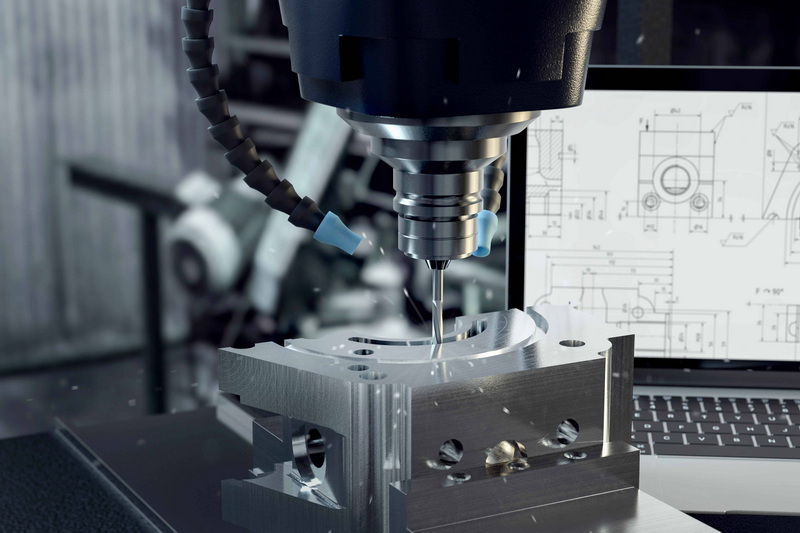
Sculptris is a free digital sculpting program that lets designers work with virtual clay to build organic 3D models such as faces, creatures, and decorative forms. It focuses on brushes, symmetry, and dynamic tessellation so users can add detail only where it is needed.
Unlike traditional parametric CAD software, Sculptris is aimed at artists and concept designers, not manufacturing engineers. It outputs 3D mesh files that can be used as a starting point for 3D printing, rendering, or later conversion into CNC machining geometry.
CNC machining is a subtractive manufacturing process that uses computer‑controlled tools to remove material from solid stock such as aluminum, steel, copper, brass, or engineering plastics. It is widely used for rapid prototyping, functional testing parts, jigs and fixtures, and precision batch production.
Because CNC machining relies on accurate toolpaths and precise positioning, it demands high‑quality 3D data with correct dimensions, tolerances, and manufacturable features. This is where robust CAD/CAM systems and experienced machining partners become essential.
Sculptris does not generate toolpaths or G‑code, so it cannot drive a CNC machine directly. Its role is to create the initial artistic form that later passes through several steps before reaching a CNC machining center. In practice, a typical workflow looks like this:
- Sculpt the organic or aesthetic part in Sculptris until the overall shape and details are approved.
- Export the sculpted model as an OBJ mesh file using the export function in Sculptris.
- Import the OBJ into a 3D package or CAD/CAM system that can work with meshes.
- Repair, decimate, and smooth the mesh so it becomes lighter, watertight, and more suitable for machining.
- Convert the mesh to NURBS surfaces or use it as a reference for building parametric geometry.
- Define stock, setups, and tooling, then generate 3D toolpaths for CNC machining.
- Post‑process the toolpaths into G‑code and run the part on a CNC machining center.
When this pipeline is implemented correctly, Sculptris provides the creative organic shape, while CNC machining provides the accuracy, surface finish, and material performance needed for real‑world applications.
Sculptris is primarily a mesh‑based sculpting tool. For CNC machining, the key export format is:
- OBJ: A generic 3D mesh format widely supported by 3D software, including Blender and many CAD/CAM tools.
After exporting OBJ from Sculptris, the most common next steps are:
- Import OBJ into Blender or similar software for mesh cleanup and retopology.
- Import the edited mesh into CAD/CAM software that can handle triangulated geometry or convert it into solid bodies.
- Generate toolpaths for CNC machining based on the cleaned geometry.
This bridge from Sculptris to CNC machining depends on how well the mesh is prepared. A dense, noisy sculpt can lead to slow toolpath calculation and potential machining problems, while a clean, optimized mesh will result in more stable CNC machining performance.
Using Sculptris as the first stage in a CNC machining project offers several advantages when handled correctly:
- Fast concept iteration
Sculptris lets designers work intuitively, “pushing and pulling” digital clay without worrying about constraints or sketches. It is ideal for quickly exploring shapes that will later be refined for CNC machining.
- Organic, complex surfaces
Many industrial CAD tools struggle to create very organic shapes. Sculptris excels at sculpting smooth transitions, wrinkles, scales, and textures that can later be reproduced by high‑resolution CNC machining in metal or plastic.
- Low software cost
As a free tool, Sculptris lowers the entry barrier for artists and small studios who still need access to professional CNC machining services for prototypes or small batches.
- Accessible learning curve
Because the interface uses intuitive brushes instead of parametric constraints, designers with little CAD experience can still generate base models that later feed into a CNC machining workflow.
By combining Sculptris with capable machining partners, companies can keep creative flexibility high while still achieving industrial‑grade CNC machining quality.
Despite its strengths as a sculpting tool, Sculptris has serious limitations when it comes to direct manufacturing:
- Mesh, not solid modeling
Sculptris uses polygon meshes instead of mathematically defined solids. CAM systems and CNC machining workflows generally prefer solid or surface models with clean topology, which are easier to toolpath and verify.
- Lack of precise dimensions
Sculptris does not excel at exact dimensions, fits, or tolerances. When parts need to mate, slide, seal, or align with other components, precise CAD design is necessary in addition to the original sculpt.
- High polygon counts
Sculptris's dynamic tessellation produces dense meshes that can slow down CAM processing. Without decimation or retopology, generating toolpaths for CNC machining can become time‑consuming or unstable.
- Limited product support
Sculptris is considered legacy software, and its developer promotes more advanced tools such as ZBrush. For long‑term, large‑scale CNC machining projects, more actively developed sculpting solutions may be preferable.
These limitations mean that Sculptris should be used as an artistic front end, not as the sole design platform for CNC machining. Precision‑critical elements still need to be modeled or refined in CAD before toolpath creation.
The most robust strategy for using Sculptris in CNC machining is a hybrid workflow that combines organic sculpting with parametric design:
1. Concept stage in Sculptris
Designers sculpt the overall form, focusing on aesthetics, ergonomics, and surface character.
2. Mesh conditioning
The Sculptris OBJ is imported into a 3D tool for mesh repair, reduction, and smoothing, ensuring the file is manageable.
3. CAD reconstruction
The mesh is used as a reference to build watertight surfaces or solids in CAD. At this stage, engineers add critical features such as mounting bosses, holes, threads, sealing faces, and functional dimensions required for CNC machining.
4. CAM programming
Using the final CAD model, programmers define setups, select tools, and create 3‑axis, 4‑axis, or 5‑axis toolpaths for CNC machining.
5. CNC machining and inspection
The part is machined from the chosen material and inspected to verify dimensions, tolerances, and surface finish.
This workflow lets teams exploit Sculptris for creativity without compromising the precision and repeatability that CNC machining demands.
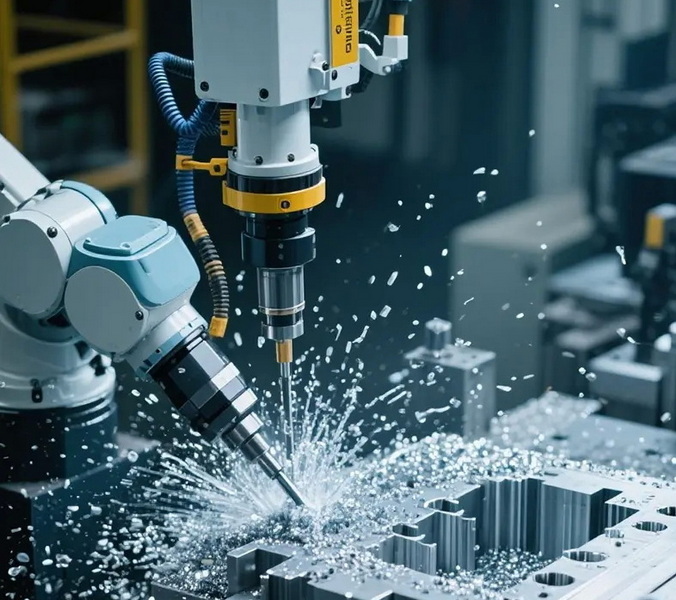
CNC machining is a natural companion for sculpted models because it can capture both complex shapes and tight tolerances. When a Sculptris model is properly translated into machinable geometry, CNC machining offers:
- High dimensional accuracy
CNC machining can achieve narrow tolerances and consistent dimensions across batches, which is essential when organic shapes must assemble with other parts.
- Excellent surface finish
With the right toolpaths, cutters, and step‑over strategies, CNC machining can reproduce smooth and detailed Sculptris surfaces in metal or plastic with minimal hand finishing.
- Material performance
Unlike many rapid prototyping methods, CNC machining supports engineering‑grade metals and plastics that match or exceed final‑use performance requirements.
- Efficient prototyping and small batch production
CNC machining avoids expensive molds and long tooling cycles. This makes it ideal for quickly turning Sculptris‑based concepts into functional prototypes or low‑volume production runs.
For OEM brands, this mix of creative design and industrial CNC machining capability is particularly powerful during early‑stage product development and limited market tests.
As a China‑based factory focused on rapid prototyping, CNC machining, precision batch production, turning services, sheet metal fabrication, 3D printing, and mold manufacturing, Shangchen can take Sculptris‑based concepts and transform them into finished products.
Typical support from Shangchen in this context includes:
- File review and engineering consultation
Engineers can evaluate Sculptris meshes, highlight potential machining issues, and propose adjustments for more efficient CNC machining.
- CAD reconstruction and optimization
Using professional CAD tools, Shangchen can rebuild organic meshes into manufacturable solids, adding critical features and tolerances needed for CNC machining and assembly.
- Multi‑process manufacturing
Beyond CNC machining, Shangchen provides turning, milling, sheet metal, 3D printing, and tooling, enabling one‑stop OEM service for complex projects.
- Prototype‑to‑production scaling
Customers can start with a few prototypes or small batches derived from Sculptris designs and scale up to larger volumes once the design is frozen and validated.
With this integrated approach, Sculptris becomes one part of a complete OEM solution, rather than an isolated creative tool.
To get better results when using Sculptris in projects that will end in CNC machining, consider the following guidelines:
- Keep scale in mind
Even though Sculptris is not dimension‑driven, approximate the intended size of the part. Extremely tiny or oversized details may not translate well to CNC machining tools and materials.
- Avoid unnecessary over‑detail
Very fine sculpted textures can dramatically increase mesh density and machining time. Decide which details are truly needed before going into full CNC machining.
- Think about tool access
Deep, narrow cavities and undercuts may be difficult or impossible to machine with standard tools. Where possible, design features so they can be reached by end mills or ball‑nose cutters.
- Plan for wall thickness
Thin walls may chatter, bend, or break during CNC machining. After importing the mesh into CAD, ensure wall thicknesses are suitable for the material and cutting strategy.
- Discuss with your machining partner early
Sharing early Sculptris concepts with Shangchen's engineering team helps identify risks and adjust designs before serious CAD and CNC machining work begins.
These practices save time, reduce rework, and ensure that Sculptris creativity aligns with CNC machining realities.
Both 3D printing and CNC machining can produce parts from Sculptris‑based designs, but CNC machining is often advantageous when:
- Mechanical performance is critical
CNC machining supports strong, stable metals and engineering plastics, giving better performance for structural or load‑bearing components.
- Surface finish and accuracy matter
CNC machining can achieve finer surface finishes and tighter tolerances than most standard 3D printing processes.
- The part must match existing components
When a Sculptris‑inspired surface must mate with standard housings, fasteners, or mechanical interfaces, CNC machining with precise CAD geometry is a strong choice.
In many OEM projects, a hybrid approach is used: 3D printing is used for initial physical validation, then CNC machining is used for final prototypes, functional testing, and small‑batch production.
Sculptris can be used in a CNC machining workflow, but only as the creative sculpting front end. To turn Sculptris models into real parts, you must export OBJ meshes, clean and convert them in CAD/CAM, and then rely on professional CNC machining to achieve precision and repeatability.
By combining Sculptris with robust CAD reconstruction, CAM programming, and well‑controlled CNC machining processes, it is possible to transform expressive digital clay sculptures into high‑quality metal or plastic parts. For OEM brands, wholesalers, and manufacturers, working with a partner like Shangchen brings these elements together into one reliable pipeline from concept to production.
No. Sculptris cannot generate CNC toolpaths or G‑code, and its models are mesh‑based rather than precise solids. The proper approach is to export OBJ files, process them in CAD/CAM, and then create toolpaths for CNC machining. This ensures dimensionally accurate, stable, and efficient machining operations.
The main export format from Sculptris for CNC machining workflows is OBJ. After exporting, you can import the OBJ into tools such as Blender or CAD/CAM software that can handle meshes, then convert or rebuild the part as a solid model suitable for machining. From there, standard formats like STEP or IGES can be used inside many CAM systems.
On its own, Sculptris is not accurate enough for tightly toleranced assemblies, because it does not focus on dimensions or geometric tolerances. For parts that must fit, slide, or seal with other components, the Sculptris model should be treated as a visual reference and rebuilt in CAD with proper dimensions before CNC machining. This ensures both aesthetic quality and functional performance.
CNC machining offers higher dimensional accuracy, better surface finishes, and stronger material options than many 3D printing processes. When Sculptris designs need to become functional metal or engineering plastic parts, CNC machining is often preferred for prototypes, testing, and low‑volume production because it closely matches end‑use performance requirements.
Shangchen provides a full OEM service that covers rapid prototyping, CNC machining, turning, sheet metal fabrication, 3D printing, and mold production. For Sculptris‑based projects, Shangchen can assist with mesh evaluation, CAD reconstruction, DFM optimization, CAM programming, and precision CNC machining in a range of metals and plastics, helping overseas brands move smoothly from digital sculpture to real‑world parts.
1. https://www.sculpteo.com/en/glossary/sculptris-definition/
2. https://www.pablander.academy/tutorials/how-to-use-sculptris
3. https://viscircle.com/what-you-should-know-about-sculptris-sculpting-software/
4. https://www.shapeways.com/blog/tutorial-tuesday-8-using-sculptris-model-digital-clay
5. https://builds.openbuilds.com/projectresources/sculptris.29/
6. https://www.youtube.com/watch?v=I3vFPMy1RIQ
7. https://www.makera.com/blogs/article/3d-scanning-discover-a-different-method-to-streamline-your-cnc-workflow
8. https://www.reddit.com/r/CNC/comments/8f0o4c/can_this_obj_be_converted_to_a_cnc_file_whats/
9. https://www.sc-rapidmanufacturing.com
10. https://shangchencnc.en.made-in-china.com
11. https://www.made-in-china.com/video-channel/shangchencnc_wEOUJHFdXtYp_High-Tech-and-High-Precision-CNC-Machining-Parts.html
12. https://www.sc-rapidmanufacturing.com/news.html
13. https://processevolution.com.au/from-prototype-to-production-the-benefits-of-cnc-machining/
14. https://asia.arrk.com/how-cnc-machining-enhances-prototyping/

