
Views: 222 Author: Amanda Publish Time: 2026-01-17 Origin: Site


Content Menu
● What 3D Drawing Means in CNC Machining
● Can 3D Drawing Alone Drive CNC Machining?
● Why 3D Drawings Are Valuable for CNC Machining
● Limitations of Using Only 3D Drawings
● Best 3D File Formats for CNC Machining
>> Preferred formats for CNC Machining
>> Formats less ideal for precision CNC Machining
● How 3D Drawings Work Together with 2D Drawings
● Design Guidelines for 3D Models in CNC Machining
>> Tolerances and critical features
● Using 3D Drawings for Different CNC Machining Processes
>> CNC milling
>> CNC turning
>> CNC turning‑milling and multi‑process machining
● How to Prepare Your 3D Drawing for CNC Machining
>> 2. Set units and coordinate system correctly
>> 3. Choose the right export settings
>> 4. Provide matching 2D drawings
>> 5. Share functional and production context
● Working with a Partner Like Shangchen
● FAQ
>> 1. Do I still need a 2D drawing if I provide a 3D model for CNC Machining?
>> 2. Which 3D file format should I send for CNC Machining?
>> 3. Can I use STL files from 3D printing for CNC Machining?
>> 4. What design mistakes should I avoid in 3D models for CNC Machining?
>> 5. How can a supplier like Shangchen help with my 3D drawings for CNC Machining?
Yes, you can use a 3D drawing (3D CAD model) for CNC Machining, and in many projects it is the preferred way to communicate complex geometry to the machining shop. However, 3D models usually need to work together with clear 2D drawings and correct file formats to achieve accurate, cost‑effective CNC Machining results.
In this article, “3D drawing” refers to a 3D CAD model created in professional design software and exported in a neutral file format suitable for CNC Machining. For international OEM buyers, brand owners, wholesalers, and manufacturers working with a Chinese factory like Shangchen, understanding how 3D drawings are used in CNC Machining is essential for avoiding costly mistakes and delays.
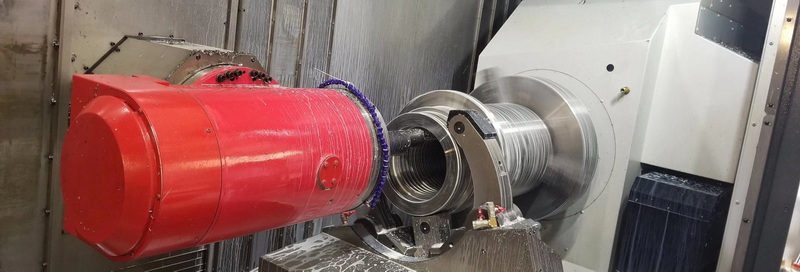
In CNC Machining, a 3D drawing is a fully defined digital model that describes the solid geometry of the part in three dimensions. It shows all faces, curves, fillets, chamfers, and features of the component that the CNC Machining center will cut or mill.
This 3D model is created in CAD software such as SolidWorks, Creo, Fusion 360, CATIA, or NX. Once the design is complete, the model is exported from CAD and imported into CAM software, where programmers generate the toolpaths that guide CNC Machining equipment.
For a factory like Shangchen, which offers CNC Machining, turning, sheet metal fabrication, 3D printing, and mold production, the 3D model serves as the core reference for:
- Programming toolpaths for CNC Machining
- Simulating the machining process
- Checking manufacturability and cost
- Coordinating across different processes (e.g., CNC Machining plus surface treatment or assembly)
A common question from overseas customers is whether they can send only a 3D drawing and let the CNC Machining supplier handle everything else. In theory, a 3D drawing can be used to program and run CNC Machining. In practice, relying solely on the 3D model can be risky.
Many CNC Machining shops can generate toolpaths directly from a 3D model, especially for milling and multi‑axis machining of complex shapes. The 3D file is ideal for defining pockets, contours, radii, and 3D surfaces. However, the 3D model often lacks critical manufacturing information such as:
- Dimensional tolerances
- Geometric tolerances (flatness, perpendicularity, concentricity, etc.)
- Surface finish requirements
- Thread specifications (internal and external)
- Heat treatment or hardness
- Special inspection notes or functional requirements
These details are usually defined in a 2D drawing, even when the geometry is controlled by the 3D model. Therefore, professional CNC Machining practice is:
- Use the 3D drawing as the master geometry for shape and features.
- Use a 2D drawing to specify dimensions, tolerances, materials, and other manufacturing requirements.
For precision CNC Machining, both documents are considered part of the official technical package.
Even though 3D drawings are not the only document used, they bring powerful advantages to CNC Machining projects. Some of the key benefits include:
- Handling complex geometry
3D models allow CNC Machining of curved surfaces, free‑form contours, undercuts, domes, and multi‑axis features that would be extremely difficult or ambiguous to describe in 2D orthographic views alone. This is especially important for automotive, aerospace, robotics, consumer electronics, and medical parts.
- Reducing interpretation errors
When CNC Machining programmers rely only on 2D drawings, they must mentally reconstruct the 3D shape from multiple views. This can lead to misunderstandings, missing features, or incorrect radii. A 3D drawing gives a single, unified representation of the part, reducing the risk of misinterpretation.
- Speeding up design changes
If the customer modifies a dimension, angle, or profile, it is much faster to update a 3D model and regenerate CNC Machining toolpaths than to redraw all 2D views. This accelerates the entire engineering‑to‑manufacturing cycle and supports rapid prototyping and iterative optimization.
- Improving design for manufacturability (DFM)
Engineers and machinists can run simulations, collision checks, and toolpath optimizations directly on the 3D model. This allows early identification of undercuts, unreachable areas, or over‑tight tolerances that would make CNC Machining difficult or expensive.
For OEM customers working with Shangchen, providing accurate 3D drawings speeds up quotation, reduces questions, and improves CNC Machining quality from the first batch.
Despite their strengths, 3D drawings have limitations when used alone in CNC Machining. These limitations become especially serious in high‑precision or safety‑critical applications.
- Lack of explicit tolerances
Most 3D CAD models represent “ideal” geometry without tolerances. In CNC Machining, however, every dimension has a real‑world variation. Without a tolerance scheme, the factory does not know how much deviation is acceptable. This ambiguity can lead to parts that fit poorly or fail functional tests.
- Inadequate surface finish information
Surface roughness has a big impact on sealing performance, wear resistance, sliding behavior, and appearance. 3D models rarely include clear roughness values (e.g., Ra 0.8, Ra 1.6). If this is not provided on a 2D CNC Machining drawing or a specification sheet, the supplier must guess, which increases risk.
- Missing thread and fit details
A 3D model might show a hole, but not whether it is threaded, its thread standard (metric, UNC, UNF), or fit class. Similarly, shaft diameters in a 3D model may not communicate whether a sliding, press, or clearance fit is required. These details must be clearly defined in CNC Machining documentation.
- Inspection challenges
Quality control teams need explicit dimensions and tolerances to inspect CNC Machining results. CMM programs can be driven by 3D models, but inspectors still require an agreed drawing to determine pass/fail criteria. Without a 2D drawing, disputes are more likely.
For these reasons, 3D drawings should be treated as a powerful but incomplete tool, best used together with a fully detailed 2D CNC Machining drawing.
The way you export your 3D drawing has a major impact on how smoothly CNC Machining can proceed. Different file formats carry different levels of precision and compatibility.
- STEP (.step / .stp)
STEP is widely considered the industry standard neutral file format for CNC Machining. It accurately represents solid geometry, preserves assemblies and features well, and is supported by almost all major CAD and CAM systems. For most OEM projects, STEP is the safest choice when sending 3D drawings to a CNC Machining supplier.
- IGES (.igs / .iges)
IGES is an older but still common format. It is especially used for surface models and legacy projects. Many CNC Machining systems accept IGES files, although they may occasionally require more repair work than STEP models.
- Native CAD formats
In some cases, CNC Machining suppliers can accept native files such as SolidWorks, Creo, or NX formats. However, this depends on whether the supplier uses compatible software. For global collaboration, neutral formats like STEP are more reliable.
- STL
STL describes surfaces as a mesh of triangles rather than exact mathematical surfaces. This is excellent for 3D printing and visualization, but it is not ideal for precision CNC Machining, where exact edges, arcs, and surfaces are important. STL models can introduce faceting and dimensional inaccuracies.
- OBJ
OBJ is widely used for graphics, animations, and rendering. Like STL, it emphasizes visual surfaces rather than precise engineering geometry. For high‑accuracy CNC Machining, OBJ is usually avoided in favor of STEP or IGES.
When sending 3D drawings to a CNC Machining partner like Shangchen, choosing STEP as the primary format and attaching a 2D PDF drawing is typically the most efficient and reliable approach.
Rather than replacing 2D drawings, 3D drawings in CNC Machining are best viewed as complementary. Each serves a different role in the manufacturing process.
- 3D drawing
Describes the exact 3D shape and spatial relationships of all features. It is the primary reference for CAM programming and toolpath generation in CNC Machining.
- 2D drawing
Defines how the part should be controlled and inspected. It normally includes dimensions, tolerances, GD&T, surface roughness, material, heat treatment, and critical notes. It is the primary reference for quality, purchasing, and production management.
A typical CNC Machining technical package includes:
- A 3D model (STEP or IGES) for geometry and toolpath creation.
- A 2D drawing (usually PDF, sometimes DXF/DWG) for tolerances and inspection.
- Additional documents such as material specifications, plating/coating standards, and packaging instructions.
Providing this complete package reduces back‑and‑forth communication, speeds up CNC Machining quotation, and minimizes manufacturing risk.
Even with good 3D drawings and file formats, poor design choices can still make CNC Machining difficult or expensive. Applying basic design for CNC Machining guidelines at the 3D model stage brings significant benefits.
Extremely thin walls are prone to vibration, deflection, and chatter during CNC Machining. This can result in:
- Poor surface finish
- Dimensional inaccuracies
- Broken tools
Whenever possible:
- Keep walls above a minimum thickness suitable for the chosen material.
- Use ribs and fillets to strengthen tall, thin sections.
- Consider whether a design intended for injection molding or 3D printing should be modified before CNC Machining.
CNC Machining tools are cylindrical, which means internal corners will naturally have a radius. Designing perfectly sharp inside corners is not practical for most CNC Machining operations. To improve manufacturability:
- Add reasonable radii to internal corners.
- Align corner radii with standard tool sizes.
- Avoid deep, narrow slots that require very long, slender tools.
CNC Machining requires the cutting tool to reach every surface that must be machined. If a feature is blocked by other geometry, the factory may need additional setups, special fixtures, or long tools, all of which increase cost and risk. In the 3D drawing:
- Check that all pockets, channels, and undercuts can be reached from planned tool directions.
- Avoid features that require excessively deep tool overhangs.
- Consider simplifying areas that are difficult to machine without adding value.
Applying unnecessarily tight tolerances everywhere is one of the fastest ways to increase CNC Machining costs. Instead:
- Use standard tolerances for non‑critical surfaces.
- Apply tight tolerances only where functional requirements demand them (e.g., bearing seats, sealing faces, alignment features).
- Clearly identify in the drawing which features are critical so the CNC Machining supplier can prioritize them during production and inspection.
For CNC Machining, designing holes cleverly saves time and cost:
- Use standard drill sizes rather than unusual diameters.
- Specify thread types clearly (e.g., M6 × 1, ¼‑20 UNC) and indicate thread depth.
- Use countersinks and counterbores where needed and define their dimensions in the 2D drawing.
When these principles are applied in the 3D drawing stage, the CNC Machining process becomes more predictable and economical.
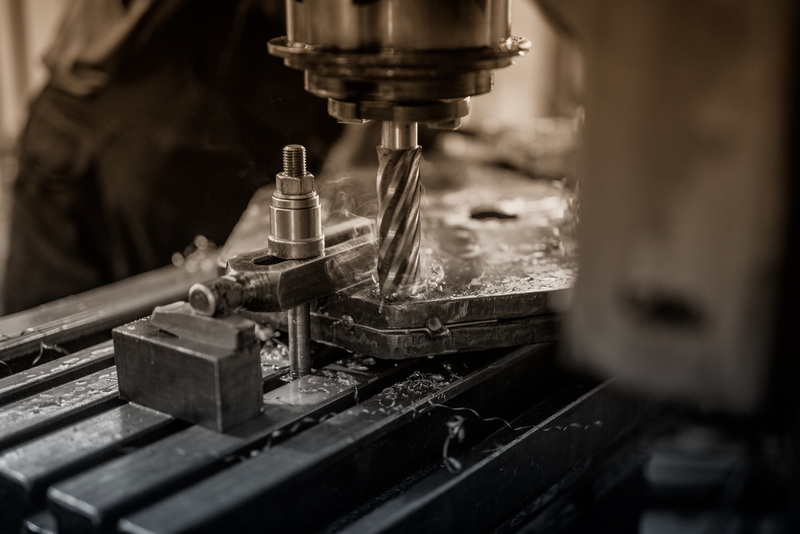
Shangchen and similar factories apply 3D drawings across several related CNC Machining processes. Each process benefits from the model in slightly different ways.
In CNC milling, rotating cutting tools move along multiple axes to produce complex 3D shapes. The 3D drawing is used to:
- Generate toolpaths for pockets, slots, bosses, contours, and surfaces.
- Simulate material removal and check for collisions.
- Optimize cutting strategies for speed, tool life, and surface quality.
For multi‑axis CNC Machining (e.g., 4‑axis or 5‑axis), the 3D model is critical because tool angles and machine motion become much more complex.
CNC turning is used for rotational parts like shafts, bushings, and rings. The 3D drawing helps the programmer:
- Extract revolved profiles and diameters.
- Define grooves, chamfers, and radii.
- Coordinate turning with secondary CNC Machining operations such as milling flats or keyways.
For high‑precision turned parts, the 3D model, combined with a clear 2D drawing, ensures that critical diameters and fits are controlled.
In advanced setups, parts may be produced using combined turning and milling, or in multiple CNC Machining steps across different machines. The 3D drawing:
- Provides a unified reference for all processes.
- Helps fixture designers create jigs and clamps that match the exact geometry.
- Supports process planning from raw material to finished part.
This integrated use of the 3D drawing is especially important in OEM projects requiring both rapid prototypes and scaled production.
To get the best results from CNC Machining, pay attention not only to what you design, but also to how you deliver the data. Proper preparation of 3D drawings saves time and prevents misunderstandings.
Before exporting the file for CNC Machining:
- Remove unnecessary bodies, construction features, and leftover test geometry.
- Verify that the solid is watertight, with no gaps or overlapping surfaces.
- Check that there are no duplicated features or hidden components that could confuse CAM software.
Confusion between millimeters and inches is a classic source of CNC Machining errors. To avoid this:
- Confirm that the CAD model uses the correct units.
- Communicate the units clearly in the project documentation.
- Align the main coordinate system sensibly with how the part will be fixtured and machined.
When you export a 3D drawing for CNC Machining:
- Use a neutral format such as STEP whenever possible.
- Select export tolerances that keep curved surfaces smooth without generating massive file sizes.
- Avoid exporting with unnecessary tessellation or mesh data for precision CNC Machining.
Attach at least one 2D drawing that matches the 3D model. The 2D drawing should:
- Show all critical dimensions and tolerances.
- Define threads, fits, and surface roughness.
- Indicate material, hardness, and any surface treatments.
- Highlight key datums and inspection points.
This combination of 3D and 2D information gives the CNC Machining supplier a complete picture of your requirements.
For better CNC Machining decisions, tell your supplier:
- Whether the part is for prototype, bridge production, or mass production.
- Where the part is used and which features are functionally critical.
- Any constraints on weight, cost, or lead time.
For example, when working with Shangchen, many international customers describe their application (e.g., laboratory equipment, consumer device, industrial automation). This helps optimize CNC Machining strategies, material choices, and quality control plans.
For many overseas brand owners, wholesalers, and manufacturers, the challenge is not only creating a 3D drawing, but also finding a partner who can transform that data into real products. A factory like Shangchen provides:
- CNC Machining for prototypes and precision batch production
- CNC turning and turn‑milling services
- Sheet metal fabrication and welding
- 3D printing for early prototypes and validation
- Mold designing and mold making for mass production
By sending well‑prepared 3D drawings and supporting CNC Machining documentation, you enable such a partner to:
- Offer faster and more accurate quotations
- Suggest design for manufacturability improvements
- Shorten lead times from concept to mass production
- Maintain better consistency across different batches and processes
If you regularly work on OEM projects, building a long‑term relationship with a CNC Machining supplier that deeply understands 3D CAD, DFM, and international standards can become a strategic advantage.
3D drawings can absolutely be used for CNC Machining, and for complex parts they are almost indispensable. A high‑quality 3D CAD model allows machinists and programmers to understand geometry precisely, generate efficient toolpaths, and simulate the CNC Machining process before any metal is cut. However, in professional manufacturing, the 3D drawing is usually combined with a detailed 2D drawing that defines tolerances, surface finishes, materials, and inspection requirements.
For best results, OEM customers should provide a clean 3D model in a neutral format such as STEP or IGES, along with a matching 2D drawing that clearly communicates how the part should be controlled. Applying basic design for CNC Machining guidelines—such as appropriate wall thickness, accessible features, realistic tolerances, and standardized holes—makes production more stable and cost‑effective. When these practices are combined with the capabilities of a full‑service partner like Shangchen, 3D drawings become a powerful foundation for reliable CNC Machining prototypes and precision batch production.
Yes. In most professional CNC Machining projects, both a 3D model and a 2D drawing are required. The 3D drawing defines the shape, while the 2D drawing communicates tolerances, surface finishes, materials, threads, and inspection requirements. Without a 2D drawing, critical manufacturing details may be unclear, leading to delays or non‑conforming parts.
For CNC Machining, STEP (.step / .stp) is usually the best choice because it is accurate, neutral, and widely supported by CAD and CAM systems. IGES (.igs / .iges) is also commonly accepted, especially for surface‑based models. Native CAD formats may be usable in some cases, but STEP provides the highest compatibility when working with multiple suppliers or international CNC Machining partners.
Although some CNC Machining providers can work from STL files, they are not ideal for precision machining. STL describes geometry as a mesh of triangles, which can introduce faceting and small inaccuracies on curved surfaces. Whenever possible, you should export or convert your design into a solid model format such as STEP or IGES before sending it for CNC Machining.
Common mistakes include designing extremely thin walls, creating features that CNC tools cannot physically reach, using sharp internal corners that require unrealistic tool sizes, and applying tight tolerances on every dimension. These issues increase cost, tool wear, and risk of part rejection. By designing with CNC Machining in mind—using reasonable wall thickness, accessible features, standard radii, and selective tolerances—you can significantly improve manufacturability.
A full‑service supplier that understands CNC Machining, turning, sheet metal, 3D printing, and mold making can do much more than simply follow a file. Such a partner can review your 3D drawings for manufacturability, suggest improvements, help you choose appropriate tolerances, and optimize process routes for prototypes and batch production. This collaborative approach reduces risk, shortens lead times, and helps you turn 3D designs into stable, high‑quality products for international markets.
1. https://jlccnc.com/blog/prepare-cad-files-for-cnc
2. https://www.rapiddirect.com/blog/cad-file-cnc-machining-formats-best-practices/
3. https://www.protolabs.com/services/cnc-machining/cnc-turning/design-guidelines/
4. https://www.komacut.com/blog/cnc-machining-drawing-guidelines/
5. https://dipec.co.uk/resources/cnc-machining/how-to-prepare-your-design-for-cnc-machining-file-types-formats-and-tips/
6. https://www.runsom.com/design-tips/3d-vs-2d-cad-in-cnc-machining/
7. https://www.jaycon.com/exporting-3d-files-stl-vs-obj-vs-iges-vs-step/
8. https://www.3dpatternandmouldmakersltd.co.uk/guides/the-process-of-creating-3d-models-for-cnc-machining
9. https://www.fastpreci.com/blog/2d-3d-drawings-for-cnc-machining/
10. https://hlhrapid.com/blog/3d-file-formats-to-use-for-manufacturing/
11. https://xometry.pro/en/articles/cnc-machining-design-tips/
12. https://www.reddit.com/r/CNC/comments/14lu29n/does_a_cnc_machinist_need_both_2d_and_3d_drawings/
13. https://firstmold.com/tips/iges-file/
14. https://www.weerg.com/faq/design-guidelines-for-cnc-machining

